Unit Converter Pro


Unit Converter Pro Summary
Unit Converter Pro is a ad-supported Android app in Tools by DictionaryAndTranslator. Released in Dec 2017 (8 years ago). It has about 38.5K+ installs and 1K ratings with a 4.62★ (excellent) average. Based on AppGoblin estimates, it reaches roughly 203 monthly active users and generates around $<10K monthly revenue (0% IAP / 100% ads). Store metadata: updated Sep 21, 2025.
Recent activity: 7.00 installs this week (31 over 4 weeks) showing steady growth , and 1.00 new ratings this week View trends →
Store info: Last updated on Google Play on Sep 21, 2025 .
4.62★
Ratings: 1K
Screenshots

App Description
A simple and easy-to-use unit converter to handle any job you'll ever need
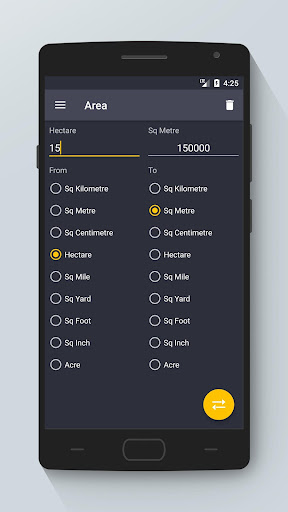
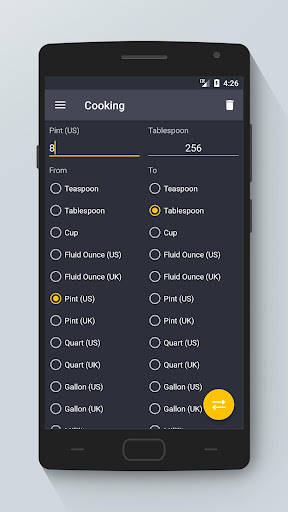
The beautiful Material Design user interface allows for quick and easy conversions from a number in one unit to another. The goal is to keep it simple - you won't be overwhelmed with an excess of options and settings, allowing you to perform your desired conversion as quickly as possible. Perfect for work, school or in the kitchen.
Available unit conversions include:
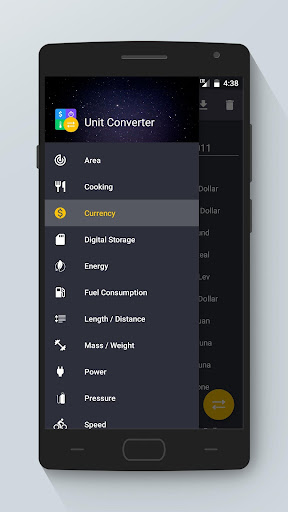
- Currency (US dollar, CDN dollar, pound, peso, etc)
- Temperature (celsius, fahrenheit, kelvin, etc)
- Length (kilometer, miles, meter, yard, feet, etc)
- Mass/Weight (kilogram, pound, ounce, ton, stone, etc)
- Speed (km/h, mph, knot, etc)
- Area (square kilometer, square mile, hectare, acre, etc)
- Cooking Volume (teaspoon, cup, pint, quart, ounce, etc)
- Pressure (kilopascal, bar, PSI, etc)
- Power (watt, kilowatt, horsepower, etc)
- Energy (joule, calorie, BTU, etc)
- Time (year, month, day, hour, second, etc)
- Fuel Consumption (miles per gallon, liters per 100km, etc)
- Digital Storage (bit, byte, megabytes, gigabytes, etc)
**TIPS**
- Use the slide-in menu for navigation between conversions and select the units you require. To open the slide-in menu, swipe in from the left edge of the app, or press the app icon in the top left corner.
- The converted value is fully customizable. Use the Settings menu to select the number of decimal places required as well as the grouping and decimal separators.
- Long-pressing on the converted value copies it to the clipboard.
- Pressing the swap Floating Action Button switches the selected units.
It's free! If you run into trouble or have suggestions for new features please feel free to email me.