Cleanup AI: Photo Cleaner


Cleanup AI: Photo Cleaner Summary
Cleanup AI: Photo Cleaner is a mobile Android app in Tools by BrightScape. Released in Mar 2026 (2 months ago). It has about 262+ installs Based on AppGoblin estimates, it reaches roughly 107 monthly active users . Store metadata: updated May 5, 2026.
Recent activity: 78 installs this week (194 over 4 weeks) showing steady growth View trends →
Store info: Last updated on Google Play on May 5, 2026 .
0★
Ratings: 0
Screenshots
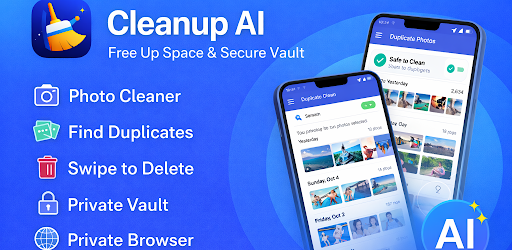


App Description
Do you often find your Phone running out of storage?
Clean up your Phone in seconds! Remove duplicates, similar photos & videos, free storage, and protect private files with a secure vault.
Cleanup AI uses powerful AI technology to clean, organize, and secure your photos and videos in just a few taps. Remove unwanted files, free up space, and keep your private data safe.
→ Reclaim storage and enjoy a faster, smoother device
KEY FEATURES
» AI Photo Cleaner
» Remove Duplicate Photos & Similar Photos
» Detect Similar Videos & Large Videos
» Clean Screenshots Instantly
» Swipe to Delete Photos Easily
» Remove Duplicate Contacts
» Secure Photo & Video Vault
» Private Browser for Safe Browsing
SMART PHOTO CLEANER:
Scan your entire gallery with AI and identify unwanted photos, duplicates, and clutter. Clean your storage quickly and efficiently.
DELETE DUPLICATES & SIMILAR FILES:
Find duplicate and similar photos or videos in seconds. Remove them with one tap and free up valuable storage space.
SWIPE TO CLEAN:
Swipe through your photos and decide what to keep or delete. A simple and fast way to clean your gallery.
SCREENSHOT CLEANER:
Easily detect and remove unnecessary screenshots that take up space.
CONTACT CLEANUP:
Find and merge duplicate contacts to keep your contact list organized.
PRIVATE VAULT:
Hide and protect your personal photos and videos with a secure vault.
PRIVATE BROWSER:
Browse privately and securely without saving history or data.
Your data stays on your device. We do not store or share your personal files.