Freshservice


Freshservice Summary
Freshservice is a free Android app in Business by Freshworks Inc. Released in Jun 2014 (12 years ago). It has about 416K+ installs and 5.1K ratings with a 4.28★ (good) average. Based on AppGoblin estimates, it reaches roughly 16K monthly active users . Store last updated Sep 15, 2026
Recent activity: 846 installs this week (3.2K over 4 weeks) showing below average growth , and 31 new ratings this week View trends →
Freshservice SDKs Summary
App not yet scanned for SDKs.
4.28★
Ratings: 5.1K
Screenshots



App Description
Cloud-based ITIL service desk with powerful ticketing & asset management.
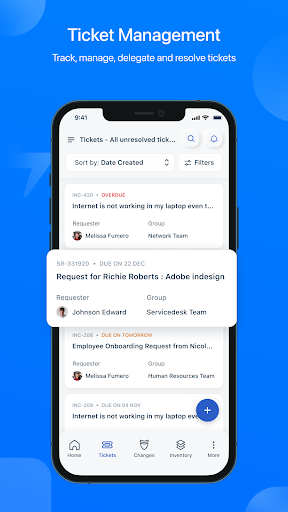
Freshservice is a refreshingly easy-to-use, simple-to-configure, ITIL based IT service desk management solution in the cloud. The productivity centric Freshservice mobile app has been designed keeping in mind an IT agent’s flexibility to stay connected, ‘on the go’. With an industry first module named ‘To-Dos’ it enables the agent to prioritize their day and see all the work stream in a single window. Additionally other core ITIL modules such as incident management, change management, service catalog, asset management, user management and others are all available within the app.
What’s new?
To-do list to plan your day.
Change Management to manage your changes
Task module to manage your schedule
Fully capable Incident management
Service Catalog
Approvals Management
User Management
Key features of Freshservice mobile app
1. Push notifications to stay on top of things.
2. Create or respond to tickets, assign it to agents, change its priority and due date, mark it as spam or delete it.
3. Prioritize and stay on top of tickets that matter the most with 9+ default views and unlimited custom views.
4. Insert canned responses when needed and attach files as necessary.
5. Add private notes that only other agents can see, forward tickets, or just stay in the loop as a ‘watcher’.
6. Search your list of users or the right solution in your knowledge base.
7. Get a quick overview of your help desk.
8. Your employees can access the service catalog and even place and track service requests.
9. Update all the details for assets, add new assets to the CMDB using the barcode/QR code scanner.
10. Log in easily using Active Directory SSO or SAML.