AR Camera


AR Camera Summary
AR Camera is a ad-supported Android app in Entertainment by Ring Ring. Released in Jan 2021 (5 years ago). It has about 484+ installs Based on AppGoblin estimates, it reaches roughly 19 monthly active users and generates around $<10K monthly revenue (0% IAP / 100% ads). Store metadata: updated Jun 1, 2022.
Recent activity: 1.00 installs this week (2.00 over 4 weeks) View trends →
Store info: Last updated on Google Play on Jun 1, 2022 .
0★
Ratings: 0
Screenshots

App Description
Take surprising photos/videos by Making virtual objects appear in the real world
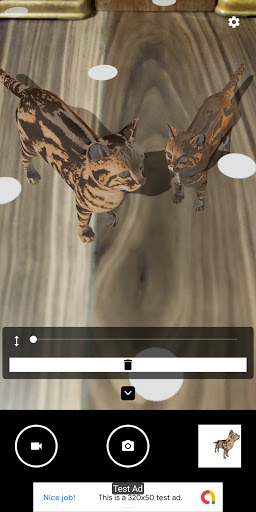
Augmented reality Camera(AR Camera) enables you to take exciting or surprising photos/videos by making virtual objects appear in the real world.
For example, photo of non-existent animals, video of impossible small animals, Spirit photography and so on.
AR Camera can load virtual objects from glb files, gltf files, or obj files.
You can download gltf files or obj files from stores or community. (Please be aware of the rights)
You can create gltf files or obj files by using 3D creation suites (e.x. blender (https://www.blender.org/), Prisma3D (https://play.google.com/store/apps/details?id=com))
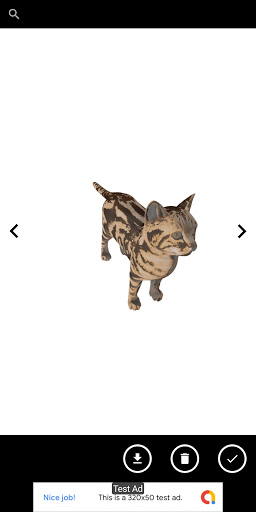
You can check virtual object by Easy-to-use preview. AR Camera provides the following functions:
- Tap light point to set a virtual object
- Slide seekbar in control panel to change the height of the virtual object after tapping a virtual object
- Delete button in control panel to delete the virtual object after tapping a virtual object
- Drag the virtual object to move it after tapping a virtual object
- Pinch to scale it after tapping a virtual object
- Twist to rotate it after tapping a virtual object
- Tap camera button to take a photo
- Tap movie button to record a movie
- Tap current object screen to transit preview screen
- Tap right button to show an next virtual object in preview screen
- Tap left button to show a preview virtual object in preview screen
- Drag a virtual object to rotate it in preview screen
- Pincha virtual object to scale it in preview screen
- Tap import button to transform gltf file or obj file to glb file and import it in preview screen
- Tap delete button to delete a current virtual object in preview screen
- Tap check button to select a current virtual object in preview screen
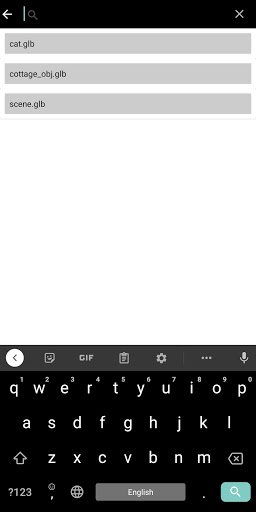
- Enter in search box to search virtual objects in preview screen