Bridal Makeup Camera
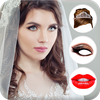

Bridal Makeup Camera Summary
Bridal Makeup Camera is a ad-supported Android app in Photo And Video by Color Studio Apps & Games. Released in Aug 2022 (3 years ago). It has about 2.2K+ installs Based on AppGoblin estimates, it reaches roughly 186 monthly active users and generates around $<10K monthly revenue (0% IAP / 100% ads). Store metadata: updated Aug 15, 2022.
Recent activity: 158 installs this week (318 over 4 weeks) showing exceptional growth View trends →
Store info: Last updated on Google Play on Aug 15, 2022 .
0★
Ratings: 0
Screenshots


App Description
Bridal Makeup Camera: Advanced tools to makeover face on photo
Bridal Makeup Camera: turns your photo into beautiful bridal selfie photo with perfect beauty makeup.
Bridal Makeup Camera: Perfect for brides who want look perfect on wedding day
Bridal Makeup Camera: Advanced makeup tool to add cosmetics on photo in few seconds
Bridal Makeup Camera: Add makeup stickers like (lipstick, eyebrows, eyelashes, eye, hairstyle or jewellery)
Bridal Makeup Camera: designed for girls and women who love wedding makeup and wedding hairstyle.
Bridal Makeup Camera Features:
New makeup and new hairstyle collection for the perfect wedding photo, aloso we have beautiful bridal face template sets for any face type.
Wedding Hairstyles: New wedding hairstyles collection from various fashion long hair or short hairstyles!
Lipsticks: Awesome bridal lipstick tone from multiple lipsticks
Eyelashes: Add mascara or false lashes on photo of your eyes to make your lashes long and lush
Eyebrows: try colorful eyebrows on photo! Amazing wedding makeup!
Wedding jewelry: add jewellery on photo to complete bridal image!
HOW TO USE Bridal makeup camera:
1. Take a new photo or select one from your gallery
2. Select stickers which you want to apply to your photo
3. Zoom in/Zoom out, Rotate left/right to adjust stickers
4. Share your wedding makeup with your friends and family
Try Bridal Makeup photo editor right now absolutely FREE!