GlamApp Pro


GlamApp Pro Summary
GlamApp Pro is a mobile Android app in Beauty by GlamApp. Released in Jun 2025 (11 months ago). It has about 193+ installs Based on AppGoblin estimates, it reaches roughly 18 monthly active users . Store metadata: updated Apr 7, 2026.
Recent activity: 1.00 installs this week (8.00 over 4 weeks) showing declining growth View trends →
Store info: Last updated on Google Play on Apr 7, 2026 .
0★
Ratings: 0
Screenshots



App Description
This platform is designed for salon owners
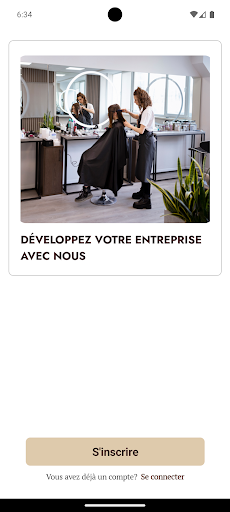
This platform is designed for salon owners to register their salons and manage bookings online. First of all, the salon owner must complete the registration process by filling all the required details, including salon name, address, salon images, etc. Only after completing the full registration can the salon owner access other features.
Tabs for salon owners
1. Home tab
On the homepage, salon owners can:
View their appointment history.
Use a calendar to filter appointments by selected dates.
Additionally, there is a “+” button that allows the salon to make appointments on behalf of clients. The salon must fill in all the necessary details, such as the client's name, service, service location, and other details. Once the appointment is confirmed by the salon, an SMS with a payment link is sent to the customer. After the customer makes the payment, their appointment is confirmed.
2. Orders tab
The Orders tab provides a detailed history of salon operations.
has. Appointment details
View all upcoming appointments.
Filter appointments by start and end dates.
Search for appointments using the customer's name or email.
b. Earnings/Balance
Balance Page: Shows the total balance of the lounge wallet and recent transactions made by users.
Earnings Page: Shows total earnings, total expenses and net earnings. Earnings are also presented in graphical form. Owners can filter winnings by selecting a specific time period.
c. Sales page
The sales page provides details on specific appointments, including:
The total amount of the sale for each appointment.
The service provider who arranged the appointment.
3. Customers tab
The Clients tab helps salons manage their clients.
has. Customer list
View all customers associated with the salon.
Search for customers by name, email, etc.
Add new customers by providing their complete information in the Add Customer page.
b. Notice
View all user-submitted reviews.
4. Notifications tab
The Notifications tab displays various alerts:
has. Appointment notifications
Receive text messages and notifications when a user books an appointment.
b. Sales notifications
Receive notifications when an appointment is marked as completed.
c. Review notifications
Be notified when a user submits a review.
5. More Tab
The More tab allows salon owners to manage their profile and access additional features.
has. Dashboard
View all upcoming appointments.
See the most popular services and team members most selected by users.
b. My services
See the services offered by the salon.
Add new services for the salon.
c. Offers
View and create trade show offers.
Once an offer is created, an SMS is sent to all customers.
d. My team
See all team members associated with the show.
Add new team members.
e. Reports
Access various reports, including:
Sales list
Summary of discounts
Payment Transactions
List of appointments
Canceled appointments
Customer list
f. Blocked hours
Define specific times when the salon is closed, during which no appointments can be booked.
g. Settings
Edit business details like salon address, salon images, etc.