Keyboard Extension


Keyboard Extension Summary
Keyboard Extension is a mobile Android app in Productivity by Glisense ltd. Released in Aug 2023 (2 years ago). It has about 1K+ installs Based on AppGoblin estimates, it reaches roughly 86 monthly active users . Store metadata: updated May 5, 2026.
Recent activity: 10 installs this week (30 over 4 weeks) showing steady growth View trends →
Store info: Last updated on Google Play on May 5, 2026 .
0★
Ratings: 0
Screenshots

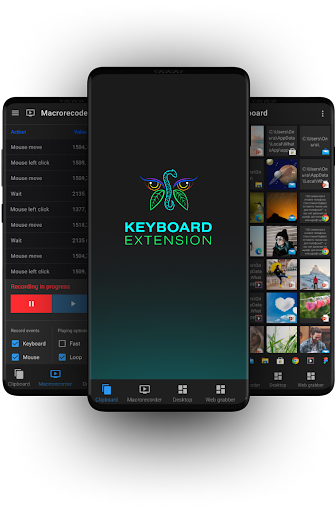


App Description
Remote control PC, PC automation from any Android device, game automation
Turn your Android smartphone into a powerful remote control PC Windows. Automate Windows routine tasks without leaving a running app. Automate your favorite games and any other apps by running keystroke and mouse macro, mouse emulator and autoclicker, automation bots and scripts. Use a shared clipboard between your Windows PC and Android smartphone. Shut down computer remotely. Keyboard Extension®️ is central hub of Windows automation and remote control for your PC.
🕒 Save your life time and let the Keyboard Extension®️ do the work for you because routine belongs to machines, not people.
How to Get Started in 4 easy steps:
1️⃣ Install this Android app.
2️⃣ Download the required Windows server-app from our website*:
3️⃣ Connect both apps via Wi-Fi, Bluetooth, or Web server.
4️⃣ (recommended) Register an account in the Windows app to enable EXTRA FREE functionality of Keyboard Extension®️.
*Our download page👉 keyboardextension.com/downloads
What You Get — For FREE:
✔️ Control PC remotely from your Android device
✔️ Keyboard and Mouse Macro Recorder for apps and games automation
✔️ A comprehensive, advanced Clipboard Manager for Windows and Android
✔️ Mouse AutoClicker with advanced settings
✔️ Widget for remote managing your PC's state, including shutdown, sleep, reboot etc
✔️ Ability to remotely switch Windows desktops
✔️ Image Format Converter
✔️ Text translator & OCR
✔️ Keyboard, Mouse & Touchpad Emulators
✔️ Volume Control
✔️ Quick access to favourite Windows apps
✔️ Quick access to web URLs
✔️ And many widgets for remote control of various applications from your Android device
List of supported Windows applications with ready-to-use widgets:
✔️ 5KPlayer
✔️ BS.Player
✔️ Calculator
✔️ Chrome
✔️ Edge
✔️ Excel
✔️ Explorer
✔️ Figma
✔️ Firefox
✔️ GOMPlayer
✔️ KMPlayer
✔️ KMPlayer 64X
✔️ Microsoft Media Player
✔️ Microsoft Notes
✔️ Opera
✔️ Paint
✔️ Photoshop
✔️ PotPlayer
✔️ PowerPoint
✔️ Slack
✔️ Spotify
✔️ Telegram
✔️ VLC Player
✔️ WhatsApp
✔️ Word
✔️ Zoom
Check latest supported apps: 👉 https://keyboardextension.com/applications :
Open Source Plugin Library:
Explore and share AutoHotkey plugins for work, education, and gaming:
🔗 keyboardextension.com/plugins
📺 See it in action - Keyboard Extension PC automate: YouTube channel https://www.youtube.com/@keyboardextension
Why Keyboard Extension® Stands Out:
⚙️ Advanced Widget Editor
📌 Widgets linked to Windows apps — appear automatically
🎯 Easy to bind hotkeys to buttons, automate keystroke entry, access files and apps, run API calls, execute Autohotkey automation scripts
🎛️ Large variety of controls: sliders, progress bars, toggles, checkboxes, canvas, buttons, panels and pre-configured automation widgets
🧠 Full support of AutoHotkey v1.1 and Autohotkey v2.0
🔁 Easy to record & replay mouse and keyboard actions
🌐 Works without a need for Internet connection after initial setup
💯Really great options for Windows PC automation
✅ Wi-Fi (recommended) — same network
✅ Bluetooth — slower but no router needed
✅ Web server — for firewall or Bluetooth issues
📩 Questions or feedback? Visit our support desk: keyboardextension.com/support