Remote for Android TV - ZEUS


Remote for Android TV - ZEUS Summary
Remote for Android TV - ZEUS is a ad-supported Android app in Tools by internet-browser.com. Released in Nov 2024 (1 year ago). It has about 321.8K+ installs and 8.3K ratings with a 4.73★ (excellent) average. Based on AppGoblin estimates, it reaches roughly 54K monthly active users and generates around $<10K monthly revenue (0% IAP / 100% ads). Store metadata: updated Apr 29, 2026.
Recent activity: 7.1K installs this week (28K over 4 weeks) showing steady growth , and 452 new ratings this week View trends →
Store info: Last updated on Google Play on Apr 29, 2026 .
4.73★
Ratings: 8.3K
Screenshots


App Description
Control your Android TV & Google TV with your smartphone
This Android TV remote app is designed to control your Android Smart TV as a replacement for a physical remote.
Supported brands include TCL, ONN, Xiaomi, Sony, Google-Chromecast, NVIDIA, Philips, Skyworth, Changhong, Haier, and any TV running on Android TV or Google TV.
Main Features:
➤ Simple control via D-pad or swipe
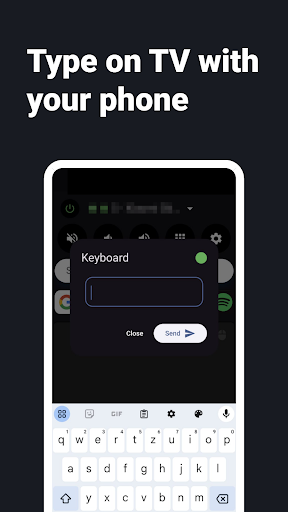
➤ Use the keyboard on your smartphone to type on the TV
➤ Quick access to applications and websites with a single tap
➤ Add your own apps and websites and customize their order
➤ Connect to multiple TV devices and switch between them
➤ Turn the TV on and off
➤ Adjust the volume and mute the TV
➤ Last used remote saved for instant access
➤ Haptic and sound feedback, if desired
➤ Always offering great new features
Usage:
1. Start your Android TV
2.Launch ZEUS Remote
3. Search for TVs in ZEUS Remote and connect to your TV
4. Control your TV with ZEUS Remote
Notes:
✶ ZEUS Remote and your TV must be connected to the same Wi-Fi
✶ Deactivate any VPN connections; otherwise, it will not work
✶ This app only works with the Android TV or Google TV operating systems
Install our Android TV Browser ZEUS to access all features:
➤ Mouse control via touchpad
➤ Easy text input using the smartphone keyboard
➤ Simple video control via slider
➤ And much more
Have questions or feedback? Email us at support@zeus-browser.com