VidTrim - Video Editor


VidTrim - Video Editor Summary
VidTrim - Video Editor is a ad-supported Android app in Video Players by Goseet. Released in Dec 2010 (15 years ago). It has about 31.2M+ installs and 249.5K ratings with a 4.21★ (good) average. Based on AppGoblin estimates, it reaches roughly 3.9M monthly active users and generates around $200K+ monthly revenue (0% IAP / 100% ads). Store metadata: updated Apr 11, 2019, version 35636.
Recent activity: 1.00 installs this week (5.00 over 4 weeks) showing steady growth , and -202 new ratings this week View trends →
Data tracking: SDKs and third-party integrations were last analyzed on Apr 29, 2026. The app's network data flows (API traffic to/from the app and its SDKs) were last crawled on Apr 29, 2026.
Store info: Last updated on Google Play on Apr 11, 2019 (version 35636).
SDKs, Trackers & Permissions
VidTrim - Video Editor was last scanned for SDKs 2026-04-29. Below is the overview of third party companies detected in the app. The full list of raw SDKs, app permissions and unknown SDKs is available here.
AppGoblin saw VidTrim - Video Editor uses 7 Development Tools
 Kotlin
 ReactiveX
 JetBrains IntelliJ
 Jake Wharton
AppGoblin saw VidTrim - Video Editor uses 1 Analytics: Product
 Umeng
UmengAppGoblin saw VidTrim - Video Editor uses 3 Ad Networks
 VK
VK ByteDance
AppGoblin saw VidTrim - Video Editor uses 2 Business Tools
 Alipay
 Tencent
App Details
App Store
Ads & App-Ads.txt
AppGoblin SDK Scans
4.21★
Ratings: 249.5K
Screenshots

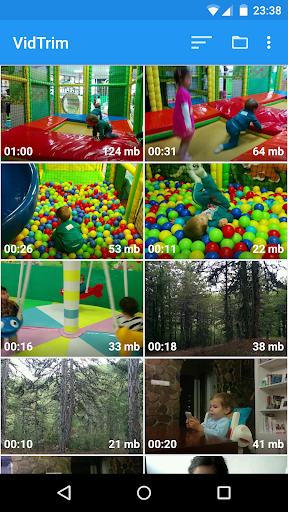
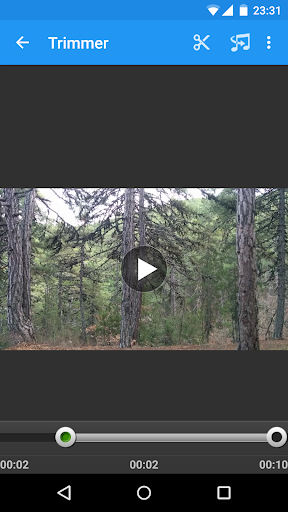
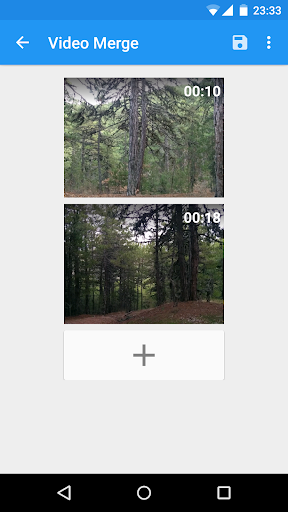
App Description
Edit your videos on the go with VidTrim.
VidTrim is a video editor and organizer for Android. It includes multiple features like trimming, merging, frame grabbing, video effects, extract audio (convert to MP3) and transcoding (compress and convert to MP4). You can also share your videos with your friends directly through the app.
This is the free ad supported version of VidTrim Pro.
Features of VidTrim:
- Video trimmer. Trim video clips right on your device
- Merge video clips. Join (concatenate) multiple video clips into one.
- Convert video files to MP3 audio files.
- Rotate videos (Quick rotation without encoding or true rotation by encoding)
- Frame grabber (save image from videos)
- Share video clips.
- Play video clips
- Rename video clips
- Delete video clips
- Supports both ARM and x86 CPUs in one package.
- Contains optimizations for ARMv7 NEON when available.
TRIAL Features in this Free version (watermark will be applied to the result video):
- Effects. Apply cool video effects like B/W, Negate, Vintage, Vignette, Blur, Sharpen, Edge detect, Luma, SwapUV.
- Transcode video clips. The transcoder allows you to convert video to MP4, resize and compress.
- Add music soundtrack to your videos through transcoding feature.
All videos/frames/mp3s are stored under "VidTrim" folder on the internal storage.
Supported languages:
- English
- Turkish
- German
- French
- Italian
- Portuguese
- Russian
- Greek
- Hebrew
- Dutch
- Czech
- Polish
- Arabic
- Chinese (Simplified)
If you have any problems or suggestions please contact us at: support@goseet.com
Uses FFmpeg under permission of LGPL.