Dash B07 Wear OS Watch Face
ASO Keyword Dashboard
Tracking 169 keywords for Dash B07 Wear OS Watch Face in Google Play

Dash B07 Wear OS Watch Face tracks 169 keywords (no keywords rank yet; 169 need traction). Key metrics: opportunity 69.1, difficulty 53.1.
A Digital Wear OS Watch Face
Tracked keywords
169
0 ranked • 169 not ranking yet
Top 10 coverage
—
Best rank — • Latest leader —
Avg opportunity
69.1
Top keyword: wait
Avg difficulty
53.1
Lower scores indicate easier wins
Opportunity leaders
- 68.3
wait
Opportunity: 73.0 • Difficulty: 49.0 • Rank —
Competitors: 1,347
- 68.5
make sure
Opportunity: 73.0 • Difficulty: 55.3 • Rank —
Competitors: 1,710
- 67.5
functionality
Opportunity: 73.0 • Difficulty: 80.5 • Rank —
Competitors: 913
- 67.6
goals
Opportunity: 73.0 • Difficulty: 48.5 • Rank —
Competitors: 948
- 67.8
month
Opportunity: 73.0 • Difficulty: 52.4 • Rank —
Competitors: 1,041
Unranked opportunities
wait
Opportunity: 73.0 • Difficulty: 49.0 • Competitors: 1,347
make sure
Opportunity: 73.0 • Difficulty: 55.3 • Competitors: 1,710
functionality
Opportunity: 73.0 • Difficulty: 80.5 • Competitors: 913
goals
Opportunity: 73.0 • Difficulty: 48.5 • Competitors: 948
month
Opportunity: 73.0 • Difficulty: 52.4 • Competitors: 1,041
High competition keywords
time
Total apps: 170,577 • Major competitors: 19,592
Latest rank: — • Difficulty: 64.6
make
Total apps: 163,352 • Major competitors: 21,922
Latest rank: — • Difficulty: 65.0
like
Total apps: 150,415 • Major competitors: 21,531
Latest rank: — • Difficulty: 68.5
download
Total apps: 139,812 • Major competitors: 15,046
Latest rank: — • Difficulty: 59.8
enjoy
Total apps: 131,386 • Major competitors: 18,531
Latest rank: — • Difficulty: 63.0
All tracked keywords
Includes opportunity, difficulty, rankings and competitor benchmarks
| Major Competitors | |||||||
|---|---|---|---|---|---|---|---|
| download | 65 | 100 | 60 | 88 139,812 competing apps Median installs: 34,022 Avg rating: 2.9 | — | — | 15,046 major competitor apps |
| play | 65 | 100 | 67 | 86 113,236 competing apps Median installs: 62,750 Avg rating: 3.2 | — | — | 19,366 major competitor apps |
| top | 68 | 100 | 65 | 80 46,866 competing apps Median installs: 46,978 Avg rating: 3.0 | — | — | 7,127 major competitor apps |
| music player | 71 | 100 | 59 | 57 2,230 competing apps Median installs: 55,176 Avg rating: 3.3 | — | — | 454 major competitor apps |
| fitness | 72 | 100 | 49 | 67 8,436 competing apps Median installs: 22,153 Avg rating: 2.9 | — | — | 751 major competitor apps |
| health | 70 | 100 | 52 | 75 23,713 competing apps Median installs: 25,526 Avg rating: 2.7 | — | — | 1,845 major competitor apps |
| music | 69 | 100 | 66 | 78 34,918 competing apps Median installs: 33,764 Avg rating: 3.0 | — | — | 4,538 major competitor apps |
| themes | 71 | 100 | 54 | 72 16,568 competing apps Median installs: 47,542 Avg rating: 3.4 | — | — | 2,303 major competitor apps |
| health monitoring | 67 | 100 | 27 | 38 162 competing apps Median installs: 27,294 Avg rating: 2.6 | — | — | 14 major competitor apps |
| change | 68 | 100 | 55 | 80 48,309 competing apps Median installs: 42,177 Avg rating: 3.0 | — | — | 6,101 major competitor apps |
| right | 67 | 100 | 66 | 83 68,533 competing apps Median installs: 35,866 Avg rating: 3.0 | — | — | 8,317 major competitor apps |
| version | 69 | 100 | 61 | 77 30,986 competing apps Median installs: 38,306 Avg rating: 3.1 | — | — | 3,300 major competitor apps |
| enjoy | 65 | 100 | 63 | 87 131,386 competing apps Median installs: 45,784 Avg rating: 3.0 | — | — | 18,531 major competitor apps |
| device | 68 | 100 | 72 | 81 52,389 competing apps Median installs: 37,519 Avg rating: 3.0 | — | — | 6,390 major competitor apps |
| make | 64 | 100 | 65 | 89 163,352 competing apps Median installs: 42,108 Avg rating: 3.0 | — | — | 21,922 major competitor apps |
| phone | 67 | 100 | 69 | 83 75,756 competing apps Median installs: 37,780 Avg rating: 3.0 | — | — | 9,010 major competitor apps |
| connected | 70 | 100 | 56 | 74 22,704 competing apps Median installs: 25,700 Avg rating: 2.8 | — | — | 2,181 major competitor apps |
| range | 69 | 100 | 53 | 78 37,225 competing apps Median installs: 32,979 Avg rating: 2.8 | — | — | 4,354 major competitor apps |
| experience | 65 | 100 | 63 | 87 118,077 competing apps Median installs: 39,819 Avg rating: 2.9 | — | — | 15,561 major competitor apps |
| digital | 68 | 100 | 55 | 79 42,168 competing apps Median installs: 26,988 Avg rating: 2.7 | — | — | 4,209 major competitor apps |
| wear | 72 | 100 | 80 | 66 7,173 competing apps Median installs: 24,222 Avg rating: 3.2 | — | — | 839 major competitor apps |
| date | 69 | 100 | 60 | 77 31,688 competing apps Median installs: 26,732 Avg rating: 2.8 | — | — | 2,809 major competitor apps |
| wear os | 71 | 100 | 76 | 60 3,443 competing apps Median installs: 13,088 Avg rating: 3.5 | — | — | 279 major competitor apps |
| moon | 71 | 100 | 40 | 58 2,619 competing apps Median installs: 36,277 Avg rating: 3.3 | — | — | 287 major competitor apps |
| information | 66 | 100 | 59 | 86 101,893 competing apps Median installs: 23,675 Avg rating: 2.6 | — | — | 7,805 major competitor apps |
App Description
A Digital Wear OS Watch Face
DASH B-07 Digital Wear OS Watch Face
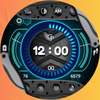
Experience the perfect blend of functionality and style with DASH B-07, a versatile digital watch face designed to keep you in control and on schedule. Featuring a customizable display and a range of shortcuts, DASH B-07 provides a seamless experience right on your wrist.
Features:
Digital Time Display – Switch effortlessly between 12 and 24-hour formats.
Customizable Background – Tap the background to change colors and match your mood or style.
Quick Access Shortcuts – Access essential functions like Settings, Alarm, Phone/Messages, Battery Status, and Music Player with a simple tap.
Battery & Health Monitoring – Track battery levels and stay on top of your fitness goals with S Health integration.
Schedule & Moon Phase – Stay organized with the schedule shortcut, and enjoy the added touch of a moon phase display.
Day & Date Display – Easily view the current day of the month and week.
Always-On Display (AOD) – Essential information remains visible even when your device is in ambient mode.
DASH B-07 offers everything you need in a sleek, feature-packed digital watch face for Wear OS.
Supports the following smartwatch model:
Google Pixel Watch
Google Pixel Watch 2
Samsung Galaxy Watch 7 and Galaxy Watch 7 Ultra
Samsung Galaxy Watch 4 and Galaxy Watch 4 Classic
Samsung Galaxy Watch 5 and Galaxy Watch 5 Pro
Samsung Galaxy Watch 6 and Galaxy Watch 6 Classic
Fossil Gen 7
TicWatch Pro 5
Montblanc Summit 4
Tag Heuer Connected Calibre E5
Montblanc Summit 3
Fossil Gen 6
Skagen Falster Gen 6
Michael Kors Access 6
Diesel Griffed Gen 6
Citizen CZ Smart Gen 2
Razer x Fossil Gen 6
TicWatch Pro 3
TicWatch Pro 3 Ultra GPS
TicWatch E3
Tag Heuer Connected Calibre E4
Watch Face Installation Notes:
Direct Installation from Watch:
1. Open the Google Play Store on your Wear OS smartwatch.
2. Search for the watch face you want to install.
3. Tap “Install” and wait for the download to complete.
4. Once installed, you can select it as your watch face from the "Settings" or by long-pressing on your current watch face and browsing the options.
Installation from Phone:
1. Open the Google Play Store on your Android phone linked to your smartwatch.
2. Search for the watch face, then tap “Install.”
3. Make sure the app is set to install on your watch, not just your phone. The watch face will automatically appear in your available watch faces.
4. On some devices, you may need to sync manually if it doesn’t appear immediately.
Troubleshooting Installation:
1. Ensure your smartwatch and phone are both connected to the internet and properly synced.
2. Restart your watch if the watch face doesn’t appear after installation.
3. Confirm your Wear OS version is compatible with the watch face.
Applying and Customizing the Watch Face:
1. After installation, select the watch face by long-pressing on your current watch face.
2. Tap the settings or customize option to adjust display features, shortcuts, and color themes (if available).
Updates & Maintenance:
1. Keep your apps updated to enjoy the latest features and improvements.
2. If the watch face supports customization, explore options through the watch face’s settings for a more personalized experience.
