Explorer Pro Watch Face
ASO Keyword Dashboard
Tracking 126 keywords for Explorer Pro Watch Face in Google Play

Explorer Pro Watch Face tracks 126 keywords (no keywords rank yet; 126 need traction). Key metrics: opportunity 69.6, difficulty 53.9.
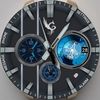
A classic Wear OS watch face with multiple color themes.
Tracked keywords
126
0 ranked • 126 not ranking yet
Top 10 coverage
—
Best rank — • Latest leader —
Avg opportunity
69.6
Top keyword: wait
Avg difficulty
53.9
Lower scores indicate easier wins
Opportunity leaders
- 68.3
wait
Opportunity: 73.0 • Difficulty: 49.0 • Rank —
Competitors: 1,347
- 67.5
functionality
Opportunity: 73.0 • Difficulty: 80.5 • Rank —
Competitors: 913
- 68.6
icon
Opportunity: 73.0 • Difficulty: 55.3 • Rank —
Competitors: 1,128
- 68.3
input
Opportunity: 73.0 • Difficulty: 52.7 • Rank —
Competitors: 830
- 67.8
either
Opportunity: 73.0 • Difficulty: 45.5 • Rank —
Competitors: 966
Unranked opportunities
wait
Opportunity: 73.0 • Difficulty: 49.0 • Competitors: 1,347
functionality
Opportunity: 73.0 • Difficulty: 80.5 • Competitors: 913
icon
Opportunity: 73.0 • Difficulty: 55.3 • Competitors: 1,128
input
Opportunity: 73.0 • Difficulty: 52.7 • Competitors: 830
either
Opportunity: 73.0 • Difficulty: 45.5 • Competitors: 966
High competition keywords
new
Total apps: 193,474 • Major competitors: 25,823
Latest rank: — • Difficulty: 65.7
make
Total apps: 163,352 • Major competitors: 21,922
Latest rank: — • Difficulty: 65.0
find
Total apps: 143,808 • Major competitors: 16,874
Latest rank: — • Difficulty: 65.1
enjoy
Total apps: 131,386 • Major competitors: 18,531
Latest rank: — • Difficulty: 63.0
access
Total apps: 126,428 • Major competitors: 11,667
Latest rank: — • Difficulty: 66.6
All tracked keywords
Includes opportunity, difficulty, rankings and competitor benchmarks
| Major Competitors | |||||||
|---|---|---|---|---|---|---|---|
| play | 65 | 100 | 67 | 86 113,236 competing apps Median installs: 62,750 Avg rating: 3.2 | — | — | 19,366 major competitor apps |
| new | 64 | 100 | 66 | 90 193,474 competing apps Median installs: 42,470 Avg rating: 3.0 | — | — | 25,823 major competitor apps |
| ready | 68 | 100 | 60 | 80 51,048 competing apps Median installs: 57,786 Avg rating: 3.0 | — | — | 8,623 major competitor apps |
| vibe | 70 | 100 | 63 | 53 1,266 competing apps Median installs: 30,880 Avg rating: 2.9 | — | — | 187 major competitor apps |
| software | 72 | 100 | 55 | 70 13,182 competing apps Median installs: 24,654 Avg rating: 2.7 | — | — | 1,054 major competitor apps |
| enjoy | 65 | 100 | 63 | 87 131,386 competing apps Median installs: 45,784 Avg rating: 3.0 | — | — | 18,531 major competitor apps |
| make | 64 | 100 | 65 | 89 163,352 competing apps Median installs: 42,108 Avg rating: 3.0 | — | — | 21,922 major competitor apps |
| phone | 67 | 100 | 69 | 83 75,756 competing apps Median installs: 37,780 Avg rating: 3.0 | — | — | 9,010 major competitor apps |
| connected | 70 | 100 | 56 | 74 22,704 competing apps Median installs: 25,700 Avg rating: 2.8 | — | — | 2,181 major competitor apps |
| step | 69 | 100 | 55 | 77 31,345 competing apps Median installs: 35,708 Avg rating: 2.9 | — | — | 3,571 major competitor apps |
| classic | 70 | 100 | 56 | 76 28,140 competing apps Median installs: 50,800 Avg rating: 3.3 | — | — | 4,499 major competitor apps |
| wear | 72 | 100 | 80 | 66 7,173 competing apps Median installs: 24,222 Avg rating: 3.2 | — | — | 839 major competitor apps |
| analog | 71 | 100 | 38 | 57 2,143 competing apps Median installs: 22,553 Avg rating: 3.4 | — | — | 183 major competitor apps |
| design | 68 | 100 | 56 | 79 41,673 competing apps Median installs: 30,529 Avg rating: 2.9 | — | — | 4,566 major competitor apps |
| wear os | 71 | 100 | 76 | 60 3,443 competing apps Median installs: 13,088 Avg rating: 3.5 | — | — | 279 major competitor apps |
| designed | 66 | 100 | 57 | 85 96,808 competing apps Median installs: 27,484 Avg rating: 2.8 | — | — | 9,110 major competitor apps |
| find | 65 | 100 | 65 | 88 143,808 competing apps Median installs: 36,002 Avg rating: 3.0 | — | — | 16,874 major competitor apps |
| available | 66 | 100 | 66 | 85 92,463 competing apps Median installs: 34,120 Avg rating: 2.9 | — | — | 9,952 major competitor apps |
| perfect | 66 | 100 | 61 | 84 81,756 competing apps Median installs: 38,510 Avg rating: 3.0 | — | — | 10,774 major competitor apps |
| multiple | 67 | 100 | 62 | 82 58,884 competing apps Median installs: 44,428 Avg rating: 3.0 | — | — | 8,314 major competitor apps |
| account | 68 | 100 | 60 | 79 41,533 competing apps Median installs: 33,567 Avg rating: 3.0 | — | — | 4,686 major competitor apps |
| install | 70 | 100 | 52 | 76 28,821 competing apps Median installs: 36,035 Avg rating: 3.0 | — | — | 2,729 major competitor apps |
| store | 69 | 100 | 60 | 78 34,411 competing apps Median installs: 36,549 Avg rating: 2.9 | — | — | 4,003 major competitor apps |
| watch | 69 | 100 | 69 | 78 38,532 competing apps Median installs: 39,176 Avg rating: 3.0 | — | — | 5,315 major competitor apps |
| update | 70 | 100 | 66 | 74 22,777 competing apps Median installs: 36,732 Avg rating: 3.0 | — | — | 2,519 major competitor apps |
App Description
A classic Wear OS watch face with multiple color themes.
Unleash your inner adventurer with the Explorer Pro Watch Face, designed for those who love exploring new horizons. This Wear OS watch face blends functionality and style, offering a rugged yet sleek design perfect for outdoor enthusiasts and urban explorers alike.
Features:
-Classic Display: Analog classic watch design
-Battery Shortcut: Access battery percentage through battery shortcut icon.
-Tap to Customize: Personalize your look with multiple color themes.
-Shortcut Access: Quick access to settings, alarm, messages, and schedule.
-Always-On Display (AOD): Optimized for day and night use.
Whether you're navigating the wilderness or the city streets, Explorer Pro Watch Face is your perfect companion. Customize your watch face to match your vibe and make every moment an adventure.
Download now and start exploring!
📍Installation Guide for Wear OS Watch Faces
Follow these step-by-step instructions to install a Wear OS watch face on your smartwatch, either from your smartphone or directly from the watch itself.
📍Installing from Your Phone
Step 1: Open the Play Store on Your Phone
Ensure your phone is connected to the same Google account as your smartwatch.
Open the Google Play Store app on your phone.
Step 2: Search for the Watch Face
Use the search bar to find the desired Wear OS watch face by name.
For example, search for "Explorer Pro Watch Face" if that’s the watch face you want.
Step 3: Install the Watch Face
Tap on the watch face from the search results.
Click Install. The Play Store will automatically sync the watch face with your connected smartwatch.
Step 4: Apply the Watch Face
Once installed, open the Wear OS by Google app on your phone.
Navigate to Watch Faces and select the newly installed watch face.
Tap Set Watch Face to apply it.
📍Installing Directly from Your Smartwatch
Step 1: Open the Play Store on Your Watch
Wake your smartwatch and open the Google Play Store app.
Ensure your watch is connected to Wi-Fi or paired with your phone.
Step 2: Search for the Watch Face
Tap on the search icon or use voice input to search for the desired watch face.
For example, say or type "Explorer Pro Watch Face".
Step 3: Install the Watch Face
Select the watch face from the search results.
Tap Install and wait for the installation to complete.
Step 4: Apply the Watch Face
Press and hold the current watch face on your watch’s home screen.
Swipe through the available watch faces until you find the newly installed one.
Tap on the watch face to set it as your default.
Troubleshooting Tips
Ensure Your Watch and Phone Are Synced: Both devices must be paired and logged into the same Google account.
Check for Updates: Update the Google Play Store and Wear OS by Google apps on both your phone and smartwatch.
Restart Your Devices: If the watch face doesn’t appear after installation, restart your smartwatch and phone.
Verify Compatibility: Confirm that the watch face is compatible with your smartwatch model and software version.
Now you’re ready to personalize your smartwatch with your favorite Wear OS watch faces! Enjoy your new look.
