Women police suit photo editor

Women police suit photo editor Summary
Women police suit photo editor is a ad-supported Android app in Photo And Video by GrabbingGameStudios. Released in Apr 2015 (10 years ago). It has about 3.1M+ installs and 4.8K ratings with a 3.86★ (average) average. Based on AppGoblin estimates, it reaches roughly 30.8K monthly active users and generates around $<10K monthly revenue (0% IAP / 100% ads). Store metadata: updated Sep 23, 2025.
Recent activity: 27K installs this week (54.5K over 4 weeks) showing exceptional growth , and -2 new ratings this week View trends →
Store info: Last updated on Google Play on Sep 23, 2025 .
3.86★
Ratings: 4.8K
Screenshots


App Description
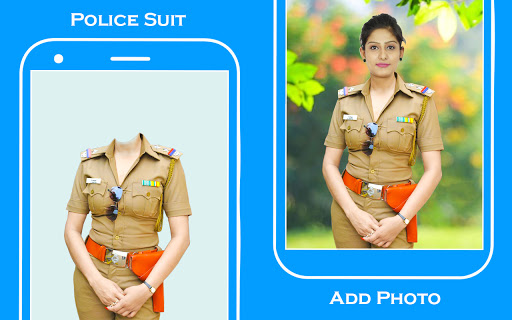
Women police suit photo editor with police suits, backgrounds and stickers.
Women police suit photo editor app is our best app that not only provides you the women police outfits also try to empower women to be someone socially respected and self esteemed. So, this is our small contribution towards this world by helping women create their photos to be as police women’s photos.
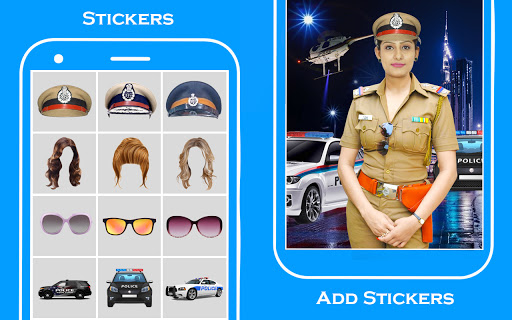
We have everything ready for you such as of backgrounds, stickers of police cars, hairstyles, sunglasses etc, different beautiful fonts of texts and many more.
Direction of usage
Open our app in your device.
Select START button in the start page, it opens the camera with our default police suit placed on it.
You can now click the image in accordance to the police dress with both the front and rear cameras by our camera change option.
Even choose the police dress of your desired choice from our wide range of police dresses available from suits option.
Or else import the image from your gallery by our gallery option and adjust in accordance.
Click OK , you will be redirected to cut activity.
Where you can cut the object from an image in a hand free manner, Click OK.
Then you will be redirected to erase page where you can erase the errors made in cut activity.
Upon clicking OK, you will be redirected to the main where you can alter any everything possible such as you can add backgrounds, stickers and text.
Save and share your wonderful edits just by a click.