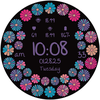

GRBL Flower Blossom
ASO Keyword Dashboard
Tracking 106 keywords for GRBL Flower Blossom in Google Play
GRBL Flower Blossom tracks 106 keywords (no keywords rank yet; 106 need traction). Key metrics: opportunity 70.6, difficulty 48.4.
Elegant floral watch face with vibrant blossom
Tracked keywords
106
0 ranked • 106 not ranking yet
Top 10 coverage
—
Best rank — • Latest leader —
Avg opportunity
70.6
Top keyword: faces
Avg difficulty
48.4
Lower scores indicate easier wins
Opportunity leaders
- 63.7
faces
Opportunity: 75.0 • Difficulty: 40.8 • Rank —
Competitors: 355
- 66.0
api
Opportunity: 74.0 • Difficulty: 42.9 • Rank —
Competitors: 358
- 64.1
browser
Opportunity: 74.0 • Difficulty: 58.2 • Rank —
Competitors: 744
- 64.3
showing
Opportunity: 74.0 • Difficulty: 46.7 • Rank —
Competitors: 500
- 64.7
base
Opportunity: 74.0 • Difficulty: 43.0 • Rank —
Competitors: 749
Unranked opportunities
faces
Opportunity: 75.0 • Difficulty: 40.8 • Competitors: 355
api
Opportunity: 74.0 • Difficulty: 42.9 • Competitors: 358
browser
Opportunity: 74.0 • Difficulty: 58.2 • Competitors: 744
showing
Opportunity: 74.0 • Difficulty: 46.7 • Competitors: 500
base
Opportunity: 74.0 • Difficulty: 43.0 • Competitors: 749
High competition keywords
find
Total apps: 305,963 • Major competitors: 16,284
Latest rank: — • Difficulty: 59.8
help
Total apps: 280,962 • Major competitors: 14,384
Latest rank: — • Difficulty: 59.8
play
Total apps: 206,179 • Major competitors: 18,547
Latest rank: — • Difficulty: 62.1
offers
Total apps: 196,104 • Major competitors: 7,633
Latest rank: — • Difficulty: 55.0
want
Total apps: 192,216 • Major competitors: 10,455
Latest rank: — • Difficulty: 54.7
All tracked keywords
Includes opportunity, difficulty, rankings and competitor benchmarks
| Major Competitors | |||||||
|---|---|---|---|---|---|---|---|
| play | 66 | 100 | 62 | 85 206,179 competing apps Median installs: 6,324 Avg rating: 2.2 | — | — | 18,547 major competitor apps |
| change | 68 | 100 | 53 | 79 90,292 competing apps Median installs: 3,556 Avg rating: 2.1 | — | — | 5,880 major competitor apps |
| device | 68 | 100 | 63 | 80 107,472 competing apps Median installs: 2,652 Avg rating: 2.0 | — | — | 6,156 major competitor apps |
| phone | 67 | 100 | 62 | 83 151,879 competing apps Median installs: 2,662 Avg rating: 2.0 | — | — | 8,546 major competitor apps |
| step | 69 | 100 | 51 | 78 83,331 competing apps Median installs: 1,280 Avg rating: 1.9 | — | — | 3,798 major competitor apps |
| party | 72 | 100 | 55 | 70 24,956 competing apps Median installs: 4,877 Avg rating: 2.2 | — | — | 2,150 major competitor apps |
| wear | 71 | 100 | 63 | 72 32,469 competing apps Median installs: 363 Avg rating: 1.6 | — | — | 813 major competitor apps |
| wearos | 72 | 100 | 32 | 53 2,051 competing apps Median installs: 190 Avg rating: 1.3 | — | — | 11 major competitor apps |
| date | 68 | 100 | 53 | 79 92,766 competing apps Median installs: 717 Avg rating: 1.8 | — | — | 2,732 major competitor apps |
| wear os | 72 | 100 | 61 | 70 24,185 competing apps Median installs: 297 Avg rating: 1.5 | — | — | 288 major competitor apps |
| find | 65 | 100 | 60 | 87 305,963 competing apps Median installs: 2,299 Avg rating: 2.0 | — | — | 16,284 major competitor apps |
| menu | 71 | 100 | 54 | 73 40,670 competing apps Median installs: 606 Avg rating: 1.8 | — | — | 1,229 major competitor apps |
| offer | 69 | 100 | 52 | 79 87,482 competing apps Median installs: 1,150 Avg rating: 1.8 | — | — | 3,575 major competitor apps |
| provide | 67 | 100 | 52 | 82 137,173 competing apps Median installs: 1,374 Avg rating: 1.8 | — | — | 4,451 major competitor apps |
| api | 74 | 100 | 43 | 66 13,950 competing apps Median installs: 415 Avg rating: 1.8 | — | — | 358 major competitor apps |
| complication | 73 | 100 | 66 | 58 4,432 competing apps Median installs: 363 Avg rating: 1.5 | — | — | 32 major competitor apps |
| swipe | 72 | 100 | 51 | 69 22,302 competing apps Median installs: 3,417 Avg rating: 2.1 | — | — | 1,528 major competitor apps |
| help | 65 | 100 | 60 | 87 280,962 competing apps Median installs: 1,692 Avg rating: 2.0 | — | — | 14,384 major competitor apps |
| multiple | 67 | 100 | 56 | 81 129,574 competing apps Median installs: 2,394 Avg rating: 2.0 | — | — | 8,197 major competitor apps |
| video | 69 | 100 | 60 | 79 85,979 competing apps Median installs: 4,001 Avg rating: 2.1 | — | — | 6,102 major competitor apps |
| install | 70 | 100 | 50 | 76 58,944 competing apps Median installs: 2,495 Avg rating: 2.0 | — | — | 2,542 major competitor apps |
| store | 69 | 100 | 55 | 78 81,143 competing apps Median installs: 1,335 Avg rating: 1.9 | — | — | 3,958 major competitor apps |
| watch | 68 | 100 | 58 | 80 103,752 competing apps Median installs: 1,031 Avg rating: 1.9 | — | — | 5,218 major competitor apps |
| format | 73 | 100 | 46 | 68 19,565 competing apps Median installs: 2,093 Avg rating: 2.0 | — | — | 946 major competitor apps |
| face | 69 | 100 | 51 | 76 63,162 competing apps Median installs: 1,097 Avg rating: 1.9 | — | — | 3,427 major competitor apps |
App Description
Elegant floral watch face with vibrant blossom
Designed for Wear OS
1. Supports AM/PM and 12H/24H format
2. 4 custom complications
3. 16 themes
4. Date (format change base on user's locale)
5. AOD with theme matching color
6. 6 styles
If you face any problem, please reach out to us at grubel.watchfaces@gmail.com. We’ll gladly provide screenshots and step-by-step instructions to help you install the watch face.
Watch faces do not change automatically after installation. To set it up, return to the home display, tap and hold, swipe to the end, and tap ‘+’ to add the watch face. Use the bezel to find it.
Samsung Developers offer a helpful video showing multiple ways to install a Wear OS watch face:
https://youtu.be/vMM4Q2-rqoM
PLEASE KEEP IN MIND THAT THE COMPANION APP DOESN'T INSTALL WATCHFACE ON THE WATCH. PLEASE READ INSTRUCTIONS BELOW.
There are two ways to install this watchaface to your WearOS device:
From PLAY STORE APP:
1. Use the drop-down menu and select the target
device on the PLAY STORE APP:
after a few minutes the watch face will transferred on
watch.
2- ACTIVATE WATCH FACE:
Once installed, you need to activate the watch face.
Long press screen, swipe left and tap "ADD WATCH
FACE" to activate it.
From PLAY STORE WEBSITE:
1 - Go to the watch face link through a Web Browser on
PC / Mac such as Chrome, Safari (etc.). You can search
the watch face name on Play Store.
Click on "Install on more devices" and select the target
device:
after a few minutes the watch face will transferred on
watch.
2- ACTIVATE WATCH FACE:
Once installed, you need to activate the watch face.
Long press screen, swipe left and tap "ADD WATCH
FACE" to activate it.
Please keep in mind that any issues on this side are
not caused by the developer/watchface. I have no
control over Google's issues.
Before drop a negative feedback (1 star) on Play Store
for these reasons, please read the guide carefully or
contact me:
grubel.watchfaces@gmail.com
for API 34+
Remember , if you want your watch to show phone's battery status, you should install Phone Battery Complication app
Disclaimer:
Each device offers different custom complications, and selection varies by third-party apps. Custom complications shown in store screenshots come from third-party app - Phone Battery Complication
Before drop a negative feedback (1 star)
