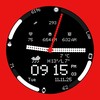

GRBL Nothing Hybrid
ASO Keyword Dashboard
Tracking 107 keywords for GRBL Nothing Hybrid in Google Play
GRBL Nothing Hybrid tracks 107 keywords (no keywords rank yet; 107 need traction). Key metrics: opportunity 70.7, difficulty 49.5.
Modern hybrid watch face with custom weather icons Designed for Wear OS
Tracked keywords
107
0 ranked • 107 not ranking yet
Top 10 coverage
—
Best rank — • Latest leader —
Avg opportunity
70.7
Top keyword: hands
Avg difficulty
49.5
Lower scores indicate easier wins
Opportunity leaders
- 65.2
hands
Opportunity: 74.0 • Difficulty: 43.3 • Rank —
Competitors: 572
- 59.7
listing
Opportunity: 74.0 • Difficulty: 37.5 • Rank —
Competitors: 182
- 64.9
trying
Opportunity: 74.0 • Difficulty: 43.3 • Rank —
Competitors: 785
- 62.6
adapts
Opportunity: 74.0 • Difficulty: 39.0 • Rank —
Competitors: 271
- 60.9
vary
Opportunity: 74.0 • Difficulty: 71.0 • Rank —
Competitors: 458
Unranked opportunities
hands
Opportunity: 74.0 • Difficulty: 43.3 • Competitors: 572
listing
Opportunity: 74.0 • Difficulty: 37.5 • Competitors: 182
trying
Opportunity: 74.0 • Difficulty: 43.3 • Competitors: 785
adapts
Opportunity: 74.0 • Difficulty: 39.0 • Competitors: 271
vary
Opportunity: 74.0 • Difficulty: 71.0 • Competitors: 458
High competition keywords
time
Total apps: 384,388 • Major competitors: 16,211
Latest rank: — • Difficulty: 58.5
access
Total apps: 339,034 • Major competitors: 11,566
Latest rank: — • Difficulty: 59.5
make
Total apps: 327,400 • Major competitors: 18,245
Latest rank: — • Difficulty: 58.8
designed
Total apps: 260,993 • Major competitors: 7,557
Latest rank: — • Difficulty: 53.9
play
Total apps: 206,957 • Major competitors: 18,542
Latest rank: — • Difficulty: 62.1
All tracked keywords
Includes opportunity, difficulty, rankings and competitor benchmarks
| Major Competitors | |||||||
|---|---|---|---|---|---|---|---|
| play | 66 | 100 | 62 | 85 206,957 competing apps Median installs: 6,219 Avg rating: 2.3 | — | — | 18,542 major competitor apps |
| weather | 72 | 100 | 57 | 70 23,642 competing apps Median installs: 2,515 Avg rating: 2.2 | — | — | 1,433 major competitor apps |
| themes | 72 | 100 | 49 | 70 25,964 competing apps Median installs: 6,411 Avg rating: 2.5 | — | — | 1,924 major competitor apps |
| make | 65 | 100 | 59 | 88 327,400 competing apps Median installs: 2,052 Avg rating: 2.1 | — | — | 18,245 major competitor apps |
| phone | 67 | 100 | 62 | 83 152,368 competing apps Median installs: 2,627 Avg rating: 2.1 | — | — | 8,547 major competitor apps |
| step | 69 | 100 | 51 | 78 83,941 competing apps Median installs: 1,248 Avg rating: 1.9 | — | — | 3,811 major competitor apps |
| party | 72 | 100 | 55 | 70 25,079 competing apps Median installs: 4,780 Avg rating: 2.3 | — | — | 2,149 major competitor apps |
| individual | 71 | 100 | 49 | 73 38,141 competing apps Median installs: 1,242 Avg rating: 1.9 | — | — | 1,071 major competitor apps |
| wear | 71 | 100 | 63 | 72 32,641 competing apps Median installs: 359 Avg rating: 1.6 | — | — | 811 major competitor apps |
| date | 68 | 100 | 53 | 79 93,263 competing apps Median installs: 699 Avg rating: 1.8 | — | — | 2,736 major competitor apps |
| wear os | 72 | 100 | 61 | 70 24,337 competing apps Median installs: 294 Avg rating: 1.5 | — | — | 289 major competitor apps |
| designed | 65 | 100 | 54 | 86 260,993 competing apps Median installs: 725 Avg rating: 1.8 | — | — | 7,557 major competitor apps |
| modern | 69 | 100 | 50 | 78 78,092 competing apps Median installs: 979 Avg rating: 1.8 | — | — | 3,245 major competitor apps |
| choose | 66 | 100 | 56 | 84 195,600 competing apps Median installs: 2,307 Avg rating: 2.1 | — | — | 12,132 major competitor apps |
| menu | 71 | 100 | 54 | 73 40,590 competing apps Median installs: 612 Avg rating: 1.9 | — | — | 1,229 major competitor apps |
| time | 64 | 100 | 58 | 89 384,388 competing apps Median installs: 1,265 Avg rating: 2.0 | — | — | 16,211 major competitor apps |
| provide | 67 | 100 | 52 | 82 136,870 competing apps Median installs: 1,369 Avg rating: 1.9 | — | — | 4,407 major competitor apps |
| complication | 73 | 100 | 65 | 58 4,454 competing apps Median installs: 361 Avg rating: 1.6 | — | — | 32 major competitor apps |
| customizable | 71 | 100 | 49 | 73 40,923 competing apps Median installs: 1,101 Avg rating: 2.1 | — | — | 2,086 major competitor apps |
| swipe | 72 | 100 | 51 | 69 22,431 competing apps Median installs: 3,322 Avg rating: 2.2 | — | — | 1,526 major competitor apps |
| video | 69 | 100 | 60 | 79 86,286 competing apps Median installs: 3,945 Avg rating: 2.1 | — | — | 6,107 major competitor apps |
| install | 70 | 100 | 50 | 76 59,106 competing apps Median installs: 2,465 Avg rating: 2.1 | — | — | 2,547 major competitor apps |
| store | 69 | 100 | 55 | 78 81,489 competing apps Median installs: 1,310 Avg rating: 2.0 | — | — | 3,956 major competitor apps |
| watch | 68 | 100 | 58 | 80 104,310 competing apps Median installs: 1,014 Avg rating: 1.9 | — | — | 5,218 major competitor apps |
| smooth | 69 | 100 | 51 | 78 82,449 competing apps Median installs: 1,756 Avg rating: 1.9 | — | — | 4,395 major competitor apps |
App Description
Modern hybrid watch face with custom weather icons Designed for Wear OS
Upgrade your Wear OS smartwatch with a sleek, minimalistic watch face inspired by Nothing OS. Perfectly designed to blend style and functionality, it gives you quick access to time, date, weather, and custom complications.
Why You’ll Love It:
✅ Elegant AM/PM & 12H/24H time formats
✅ 7 fully customizable complications
✅ 11 unique weather icons for instant forecasts
✅ Date adapts automatically to your locale
✅ Always-On Display (AOD) with theme-matching colors
✅ 19 eye-catching themes to match your style
✅ tap on individual watch hand once to make it transparent, tap again to make it disappear (works on the center dot also!)
DISCLAIMER: that trying to hit invisible watch hands can be tricky
Quick Tips for Weather Complications:
Update weather manually after installing.
If it doesn’t appear, switch to another watch face and back.
Fahrenheit users: initial sync may show high temperatures; it updates automatically.
Installation Made Simple:
From your Play Store app:
Select your watch from the drop-down menu and install.
Long press your watch screen → swipe left → tap ‘ADD WATCH FACE’ to activate.
From your Play Store website:
Open the watch face listing on your PC/Mac browser.
Click “Install on more devices” → choose your watch.
Long press your watch screen → swipe left → tap ‘ADD WATCH FACE’ to activate.
📹 Samsung Developers video with installation tips: Watch Here
Note:
The companion app opens the Play Store listing only; it does not install the watch face automatically.
For phone battery status on your watch, install the Phone Battery Complication app.
Custom complications may vary by third-party apps.
Need Help?
Email us at grubel.watchfaces@gmail.com
. We provide screenshots and step-by-step guidance to ensure smooth setup.
