Big Clock Screen Saver

Big Clock Screen Saver Summary
Big Clock Screen Saver is a mobile Android app in Personalization by grebulon. Released in May 2022 (3 years ago). It has about 9.4K+ installs and 33 ratings with a 4.73★ (excellent) average. Based on AppGoblin estimates, it reaches roughly 254 monthly active users . Store metadata: updated Jul 2, 2025.
Recent activity: 83 installs this week (901 over 4 weeks) showing exceptional growth , and 1.00 new ratings this week View trends →
Store info: Last updated on Google Play on Jul 2, 2025 .
4.73★
Ratings: 33
Screenshots

App Description
Turn your old unused phone to a large digital desktop clock
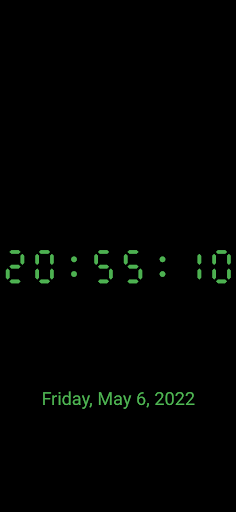
Grebulon's Big Clock Screen Saver app turns your old useless device into a large full screen digital clock when the phone is sleeping.
The clock can show the time in various forms (24h, with or without seconds, etc.), fonts and colors. It can optionally also show the date (again in various forms). The clock is stationary - it doesn't move.
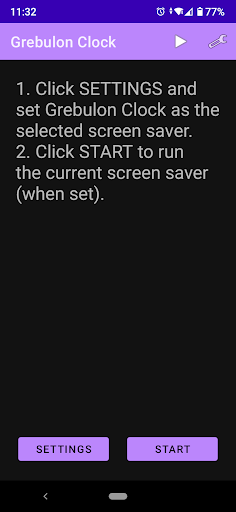
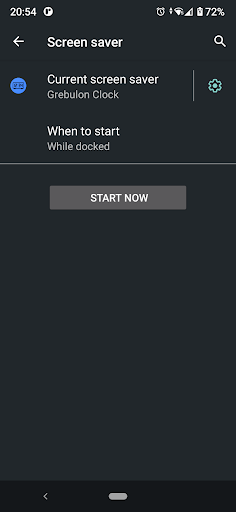
To set-up the screen saver, open the app and click on the settings button. It will take you directly to the phone's screen saver settings. Alternatively open Android's settings -> Display -> Screen saver.
Select "Grebulon Clock" and click on the gears icon to customize it. You can change the color, the time and date format (date can be hidden) and opt to show the time with or without seconds.
The clock will start depending on the screen saver settings. Usually it's set to start when the phone is charging.
All for free, no ads, no special permissions, no tracking!