Slate Digital Magical Learning


Slate Digital Magical Learning Summary
Slate Digital Magical Learning is a ad-supported Android app in Tools by Divyesh Rangani. Released in Aug 2022 (3 years ago). It has about 4.6K+ installs and 10 ratings . Based on AppGoblin estimates, it reaches roughly 418 monthly active users and generates around $<10K monthly revenue (0% IAP / 100% ads). Store metadata: updated Aug 8, 2025.
Recent activity: 223 installs this week (266 over 4 weeks) showing exceptional growth View trends →
Store info: Last updated on Google Play on Aug 8, 2025 .
0★
Ratings: 10
Screenshots
App Description
Slate Digital is a fun learning and modern drawing app for all ages!
Slate Digital is a fun, educational drawing app designed for learners of all ages! Whether you want to draw, practice handwriting, solve math problems, or just scribble creatively — this digital slate makes it magical and simple.
This App is designed for all like write number,letters,alphabets,draw also used classroom and write on greenbord or real board is in your hand.
Using this blackboard magic slate app you can create your own digital signature, also you can save and share your digital signature
Unleash your child's creativity by drawing and learning using Slate.
children's learning app very Useful Education things.
Draw anything with multiple colors, choose your favorite color from color picker and make your drawing more colorfull.
🖌️How to use the Application?
✅ Open Slate Digital app
✅ Click Star Button
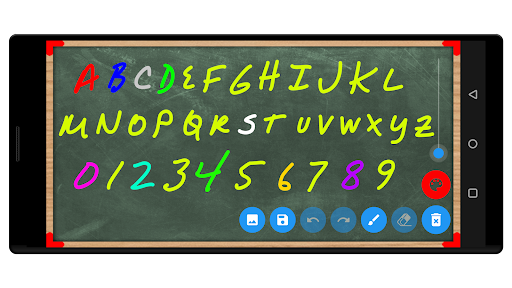
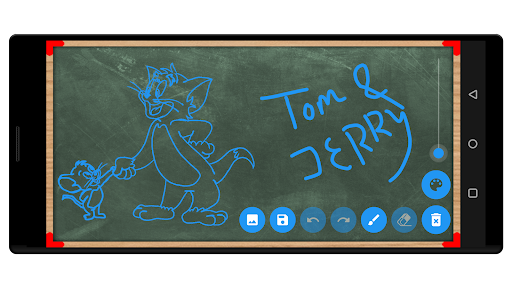
✅ Start writing alphabets and numbers or drawing anything by dragging the finger on the slate
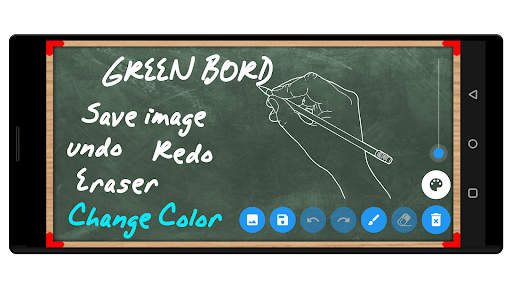
✅ Drawing with Pencil – Smooth, realistic digital pencil experience
✅ Eraser Tool – Easily erase mistakes with a soft eraser
✅ Undo / Redo – Go back or forward with your strokes effortlessly
✅ Change Pencil Color – Choose from a variety of colors to make your drawings vibrant
✅ Adjust Pencil Size – Make lines thick or thin with a simple slider
✅ Save to Gallery – Save your creations as images directly to your phone
✅ Simple & Clean Interface – Perfect for kids, students, and parents
✅ Save your artwork to your phone's gallery Share with friends & family
✅ Access all saved images anytime
🎯 Great for:
learning to write and draw
Quick math practice or diagrams
Teachers demonstrating lessons
Fun doodling and sketching
Instead of playing games this learning app plays very important role in lives!