XBXPlay: Remote Play

42.1K installs
2.4K ratings
1.6K monthly active users
Revenue not available
Install Trends
Weekly +221
SteadyMonthly +746
SteadyXBXPlay: Remote Play Summary
XBXPlay: Remote Play is a mobile Android app in Tools by Stream Game Dev. Released in Jan 2023 (3 years ago). It has about 42.1K+ installs and 2.4K ratings with a 4.67★ (excellent) average. Based on AppGoblin estimates, it reaches roughly 1.6K monthly active users . Store metadata: updated Dec 10, 2025.
Recent activity: 221 installs this week (746 over 4 weeks) showing below average growth , and 6.00 new ratings this week View trends →
Store info: Last updated on Google Play on Dec 10, 2025 .
4.67★
Ratings: 2.4K
Screenshots


App Description
Play your X-Box games remotely in 1080p with any controller and zero latency
Introduction
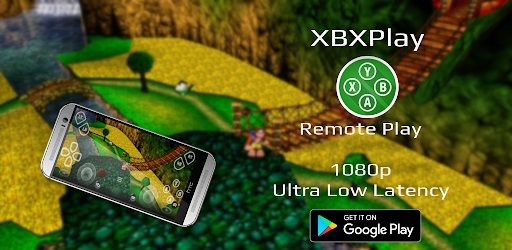
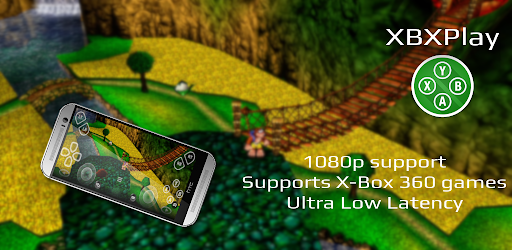
XBXPlay offers you the possibility to remote control your X-Box Series X/ S or your X-Box One (X/ S) without limitations. You can play your favorite games in 1080p remotely while you are away (more information below*). XBXPlay has been optimized to provide streaming experiences with the lowest possible latency. Third-Party controllers and mobile data connections are supported and you can even play X-Box 360 games on your console with XBXPlay. You can even play without a gamepad connected by just using the touch optimized onscreen gamepad layout. Create customized onscreen gamepad layouts that perfectly match the needs of your games.
Differences to the official X-Box Remote Play app
• 1080p support
• Support for X-Box 360 games
• Manual Bitrate adjustments
• Onscreen gamepad layout (customizable)
• Fullscreen support (no black bars)
• Supports gamepad button mapping
• Native USB-OTG support
• You can use XBXPlay as virtual gamepad for your X-Box
• Picture-In-Picture mode (requires Android 8.0 or newer)
• Multi-Window support (requires Android 7.0 or newer)
• Optimized for low latency streaming
(Microphone input currently not supported)
Hardware recommendations
• Dual core CPU highly recommended
• 2 GB or more of RAM
• 1024 × 768 or higher display resolution
• A wired internet connection for your X-Box is strongly recommended
• Your device should be connected to a 5GHz WiFi for minimum delays
• A stable high-speed internet connection with upload and download speeds of at least 20 Mbps
XBXPlay allows you to remote control any X-Box game which supports Remote Play. Play X-Box games and even X-Box 360 backwards compatibility games. Or just use XBXPlay as virtual X-Box gamepad for your console.
Community
- https://www.reddit.com/r/XBXPlay
❗
Support and feedback
❗All information about XBXPlay can be found here:
https://streamingdv.github.io/xbxplay/index.html
Attention
XBXPlay works with the latest X-Box One/ Series firmware. Please do not upgrade to a newer X-Box firmware version if available until it is proven that XBXPlay is still working. However, if you have updated and XBXPlay has stopped working, it will take some time for me to fix the problems. So please keep that in mind.
*Please note: if you want to play over the internet, follow these instructions:
https://streamingdv.github.io/xbxplay/index#line5
Thanks to the OpenX-box team for their support and for making this project possible.
Disclaimer: all mentioned trademarks here are trademarks of Microsoft Corporation. XBXPlay is in no way endorsed by or affiliated with Microsoft, or any associated subsidiaries, logos or trademarks.