Kasa KC400 Camera Guide

Kasa KC400 Camera Guide Summary
Kasa KC400 Camera Guide is a ad-supported Android app in Tools by SmarterAppsDeveloper. Released in Mar 2023 (3 years ago). Store metadata: updated Jul 19, 2024.
Store info: Last updated on Google Play on Jul 19, 2024 .
0★
Ratings:
Screenshots




App Description
Download the Kasa KC400 Camera Guide app now
A recent addition to TP-Link’s Kasa Smart smart home ecosystem, the Kasa Spot (model KC400) is one of the most affordable security cameras to deliver 2K video. For just $40, it delivers tack-sharp video along with such coveted features as person detection and round-the-clock recording.
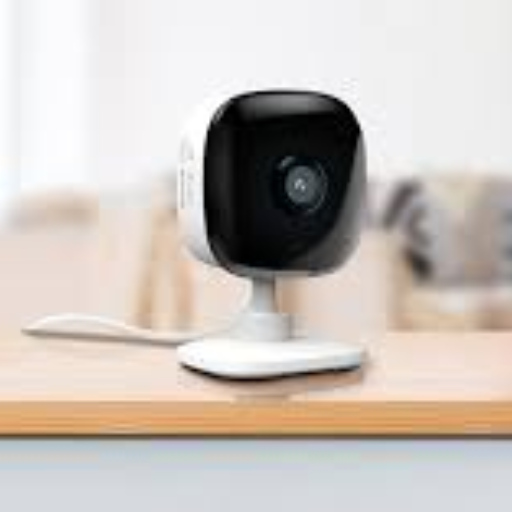
The camera hews to the Kasa Smart design ethos with a simple cube shape in a black-and-white finish. Its stem attaches to a flat base through a ball-and-socket joint that lets you manually adjust the camera angle whether it’s sitting on a shelf or mounted to a wall. Screws and a mounting template are included for the latter.
This review is part of TechHive’s coverage of the best home security cameras, where you’ll find reviews of the competition’s offerings, plus a buyer’s guide to the features you should consider when shopping for this type of product.
As mentioned, the camera captures video in 2K resolution, and it has a 130-degree field of view for comprehensive room coverage. Five infrared LEDs provide up to 30 feet of black-and-white night vision, and a built-in speaker enables two-way talk. When the camera detects sound or motion, it records the triggering event and pushes a notification to your phone.
Video can be recorded locally to a microSD card (up to 256GB capacity, although no card is included) or to the cloud via a Kasa Care Plan subscription. You can get 30 days of video history per camera, plus the ability to share and manually record for $3 per month or $30 per year. A premium plan offers the same for up to 10 cameras for $10 per month or $100 per year.
To set up the camera, you’ll need to download the Kasa app and create an account. Once you add the camera from the Devices screen, the app guides you through the process of connecting to your Wi-Fi network and installing the camera, including step-by-step mounting instructions for those who choose to install the camera on a wall. There weren’t any hiccups in the process when I set up the camera, and it took just a few minutes to complete.
The camera delivered excellent video quality in my testing, with vibrant, accurate colors and sharp detail. Night-vision video was evenly lit with strong contrast.
The camera can push three types of detection notifications: motion, sound, and person. Tapping on these alert massages opens the captured video clip triggered by the event, with options to view, download, or share the video clip or to switch to the live video feed. Detection worked well and notifications were delivered immediately. Person detection accuracy was hit and miss,