Hedgehog - Password manager


Hedgehog - Password manager Summary
Hedgehog - Password manager is a with in-app purchases Android app in Productivity by GVK Software. Released in Jan 2021 (5 years ago). It has about 17.3K+ installs and 174 ratings with a 3.77★ (average) average. Based on AppGoblin estimates, it reaches roughly 712 monthly active users and generates around $<10K monthly revenue (100% IAP / 0% ads). Store metadata: updated Jan 29, 2026.
Recent activity: 35 installs this week (163 over 4 weeks) showing steady growth , and 1.00 new ratings this week View trends →
Store info: Last updated on Google Play on Jan 29, 2026 .
3.77★
Ratings: 174
Screenshots

App Description
Hedgehog, built for privacy. Designed for simplicity. Powered by trust.
Hedgehog, built for privacy. Designed for simplicity. Powered by trust.
🔐 Store Personal Info
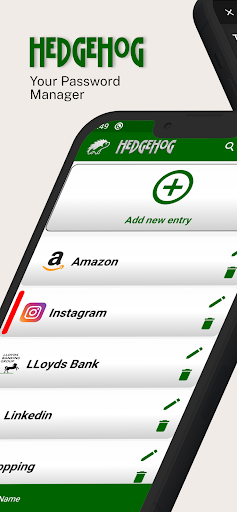
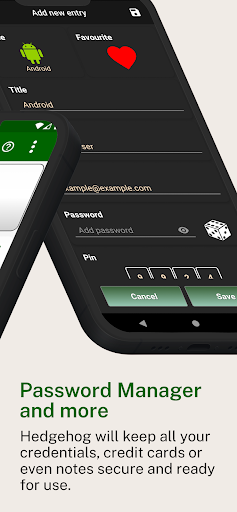
Hedgehog will keep all your credentials, credit cards or even notes secure and ready for use.
🔑 Master Password
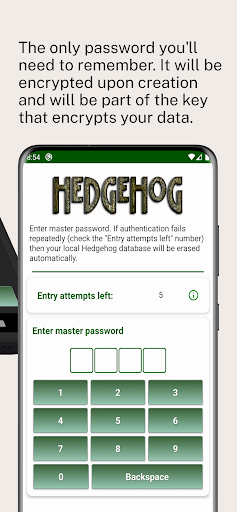
The only password you'll need to remember. It will be encrypted upon creation and will be part of the key that encrypts your data.
🔒 AES‑256 Encryption
All your data will be stored encrypted locally on your device. We use the world's most advanced encryption algorithm, which would take billions of years to break using current computing technology.
🛡️ Two-Factor Encryption (2FE) Key
The key that encrypts your data will be created by two independent pieces of code, providing extra protection for your data: your Master Password and a uniquely generated security code.
🕵️ Zero-Knowledge System
Hedgehog is based on a Zero-Knowledge system which means that we know nothing about the data you store on your mobile or on our server.
☁️ Save, Restore or Sync
Save, Restore or Sync your data between your Android device and our Google Firebase server. Please note that Hedgehog is using a Two-Factor Encryption (2FE) key which means that your data will travel encrypted and completely unreadable.
📴 Offline Functionality
Hedgehog can be used without network connectivity (including Wi-Fi). Of course, you will need an internet connection during the Save\Restore\Sync operation.