Binary Watch Face


Binary Watch Face Summary
Binary Watch Face is a mobile Android app in Personalization by Martin Halachev. Released in Mar 2015 (11 years ago). It has about 89.3K+ installs and 724 ratings with a 4.35★ (good) average. Based on AppGoblin estimates, it reaches roughly 787 monthly active users . Store metadata: updated Feb 10, 2020.
Recent activity: 6.00 installs this week (18 over 4 weeks) showing steady growth View trends →
Store info: Last updated on Google Play on Feb 10, 2020 .
4.35★
Ratings: 724
Screenshots


App Description
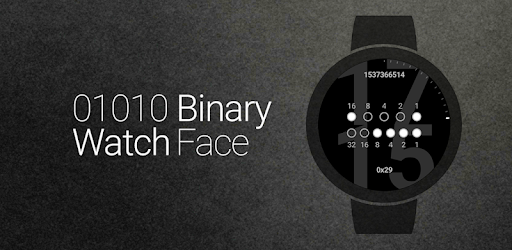
Binary watch face for Wear OS. Decimal digits are hinted in the background.
Binary watch face for Wear OS. Decimal numbers are merely hinted in the background.
Features
• Watch face complications*
• Date & battery level indicators
• 12/24-hour format selection
• Date format options, including Unix timestamp
• Optional binary representation of seconds
• Seconds ticks for additional hint to binary values
• Colors, effects, themes and size customization
• Ability to hide decimal numbers and hints
• Color in ambient mode on supported devices**
• Interactive watch face features***
• Help topics for reading the binary watch.
Accessing Watch face settings
• Option 1, using the phone: Open the Wear OS (Android Wear) app, and then tap the white gear icon in the center of the selected watch face.
• Option 2, directly on watch: Tap and hold anywhere on the watch face, and then select the white gear icon.
Using interactive actions
Tap anywhere on the watch face to toggle background numbers on and off.
Tap in the center of the binary dots to toggle bit numbers.***
Tap on selected complications to view additional data.*
Reading the binary watch
For detailed information, select Help from the options menu of the Watch face settings companion app on the phone.
Frequently asked questions
Featured question: "I have installed the app but cannot find out how to start it."
Answer: The watch face is designed for use with Wear OS smartwatches. It is accessible via the Wear OS (Android Wear) app instead of a stand-alone launcher icon as it is not for the smartphone itself.
Read all frequently asked questions here: https://goo.gl/ncNIs8
Requirements: Wear OS smartwatch. Both square and round screen devices are supported.
This app is intended exclusively for use with smartwatches and cannot be started on a smartphone.
Disclaimer: The application is provided as is without liabilities or warranties of any kind, either express or implied.
* Watch face complications support requires Wear OS 1.0 (formerly Android Wear 2.0, based on Android 7.1.1)
** Color in ambient mode is not supported by certain Wear OS devices. Actual colors may vary or may not be visible at all.
*** Interactive watch faces feature requires Android Wear 1.3 (based on Android 5.1.1) with Interactive Watch Faces support.