Multi Face Blender
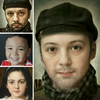

Multi Face Blender Summary
Multi Face Blender is a ad-supported Android app in Photo And Video by Hamsoft. Released in Nov 2013 (12 years ago). It has about 3.9M+ installs and 15.3K ratings with a 3.36★ (mixed) average. Based on AppGoblin estimates, it reaches roughly 4.4K monthly active users and generates around $<10K monthly revenue (0% IAP / 100% ads). Store metadata: updated Jan 23, 2026.
Recent activity: 327 installs this week (1.2K over 4 weeks) showing steady growth , and -16 new ratings this week View trends →
Store info: Last updated on Google Play on Jan 23, 2026 .
3.36★
Ratings: 15.3K
Screenshots


App Description
The easiest photo editing app to combine multiple face photos.
Try several face photos synthesize easily.
Intermediate stage of my face and celebrities, what does he look like?
If you synthesize with all favorite celebrity, what does he look like?
I want only certain parts to synthesize face. Is there a way to easily?
If you've done this idea, here is the app you've been looking for.
Combine multiple face to face as you want quickly and easily merges .
Are wondering how to do it?
Proceed as follows: And you are an expert in this synthesis .
1 . Please select the desired faces of a number .
2 . More alike who want to adjust. Easily adjustable.
3 . Please use the eraser. It's possible, except for certain areas synthesis.
4 . You want to change the skin color? Brightness, brightness, saturation and so easily could change .
5 . Finger roughly rubbed several times and then complete the miraculous picture!
Q: I can not recognize faces.
A: Most face recognition, but sometimes there is a photograph of the face can not detect. However, you can manually adjust the location of the subject's face .
Q: face, eyes, mouth, nose area was the synthesis of a well . But a bit annoying howl and background .
A: Please make good use of the eraser mode ! Size, transparency control by hand, please delete the unwanted part. After that, nice picture appears like a real photo!
If you make good use of the eraser mode, output photo result will be awesome.
Multi Face blender has the following features.
- Face Morph : morph to another face
- Blending face.
- Automatic Face Recognition
- You can easily specify a synthetic point
- Hue, Saturation, Contrast, Brightness Adjustable
- Combine the specific area : Switch eye, nose, mouth
Permissions
This app use the read / write permissions to external storage (SD card).
READ_EXTERNAL_STORAGE : Use to read the cache file of the photo or photos you want to edit.
WRITE_EXTERNAL_STORAGE : Used to record the edited photos or cache files.