MaxGo Manager

MaxGo Manager Summary
MaxGo Manager is a mobile Android app in Productivity by Handheld Group AB. Released in Nov 2019 (6 years ago). It has about 11.5K+ installs Based on AppGoblin estimates, it reaches roughly 872 monthly active users . Store metadata: updated Jul 2, 2025.
Recent activity: 14 installs this week (95 over 4 weeks) showing steady growth View trends →
Store info: Last updated on Google Play on Jul 2, 2025 .
0★
Ratings: 0
Screenshots


App Description
A Smart Mobile device management (MDM) solution for Improved Efficiency
This app is only intended for the Handheld Algiz RT8, Nautiz X2, Nautiz X41, Nautiz X6 and Nautiz X9! For the Algiz RT7, install the MaxGo Manager (Algiz RT7) app.
Mobile device management (MDM) is important for today’s mobile workforce. The right MDM solution provides IT departments with the tools they need to configure devices, troubleshoot and fix problems quickly. MaxGo Manager is a software solution that allows Handheld Android users to easily configure, manage and support all of their devices, regardless of deployment size.
Setting up grouped devices
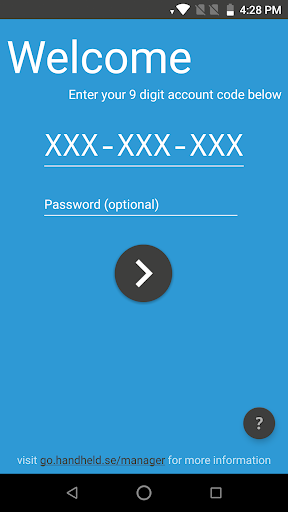
Creating a MaxGo Manager account is simple, and logging in is as easy as entering your Manager ID. As soon as you’re signed in, you can begin creating device groups and group configurations. Configuration possibilities are almost limitless within MaxGo Manager. Users can download and install apps, update operating systems, change system and client settings, run staging scripts and more — all from MaxGo Manager’s easy-to-use interface.
Works as an efficient tech support portal
When all units are operating smoothly, MaxGo Manager provides a simple and streamlined way to update devices and change settings. In the case of a device that needs troubleshooting, this solution shines as an efficient and effective technical support portal.
MaxGo Manager displays helpful charts with details such as battery level, charging level, CPU temperature, signal and signal strength. Users can also open lists of installed apps, take screenshots for specific mobile units, uninstall apps manually, clear app data or force-quit problematic software. In the event of a lost or stolen device, MaxGo Manager allows you to delete devices from the management dashboard and completely clear their data.
An MDM solution for today’s mobile workforce
MaxGo Manager is a smart MDM solution that allows users to organize devices into groups, assign unique group configurations, share accounts with other users, customize user permissions, add and remove apps, gain useful insights about Handheld Android devices and much, much more.