Timelapse Video Maker


Timelapse Video Maker Summary
Timelapse Video Maker is a with in-app purchases Android app in Photo And Video by HARDCODED JOY S.R.L.. Released in Jul 2024 (1 year ago). It has about 42.7K+ installs and 97 ratings with a 3.05★ (mixed) average. Based on AppGoblin estimates, it reaches roughly 1.2K monthly active users and generates around $<10K monthly revenue (100% IAP / 0% ads). Store metadata: updated Nov 6, 2025.
Recent activity: 492 installs this week (1.7K over 4 weeks) showing below average growth , and 1.00 new ratings this week View trends →
Store info: Last updated on Google Play on Nov 6, 2025 .
3.05★
Ratings: 97
Screenshots

App Description
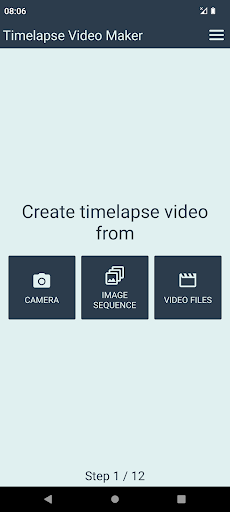
Create timelapse video from image sequence, video files, or camera.
A timelapse video is a video that's been created by taking a series of photos at a regular interval (often a few seconds apart), then speeding them up and stitching them together. The result is a video that shows changes in the subject matter over time, but much faster than normal speed. For example, you might see a video of a flower blooming in seconds, or of a sunset in a few minutes.
This app allows you to create timelapse video from already existing images or video files, or using the device's camera.
Current app features:
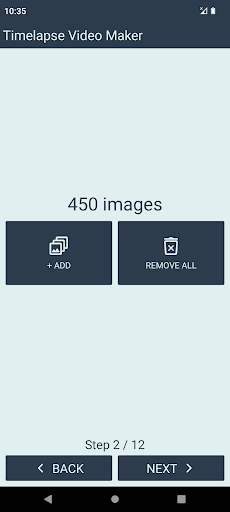
• create timelapse video from image sequence
• create timelapse video from video files
• images / videos will be included in the order of selection
• add soundtrack (select local audio file from your device)
• configurable settings for the output video file
• NEW! create timelapse video using camera
Output video settings:
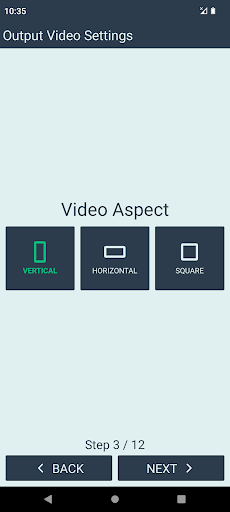
• aspect (portrait / landscape / square)
• resolution (up to 4k + custom)
• image framing mode (crop / fit / fill)
• frame rate (up to 60 FPS)
• audio and video bit rate
• key frame interval
• duration
Free version limitations:
• maximum 500 images per timelapse
• maximum 2 input videos per timelapse
• only 30 FPS
• limited options for the:
• output resolution
• audio and video bitrate
• Key Frame Interval
• duration of the resulting video
• camera capture duration
• app logo automatically added at the end of the video
Users can upgrade to Premium Version via in-app purchase (one time payment).
Premium version advantages:
• no limit for the input image count
• no limit for the input video count
• higher output resolution + custom resolution
• more FPS options
• more audio and video bitrate options
• more Key Frame Interval options
• more video duration options + custom duration
• more options for the camera capture duration + custom duration
• removed ending logo
Note - supported video resolutions:
Supported resolutions may vary, depending on your device.
Most devices usually support resolutions up to:
• 1920x1080
• 1080x1920
Some devices also support 4k:
• 2160x3840
• 3840x2160
For custom resolutions, it is recommended that both width and height are:
• at least 128
• even number