Video to Frames Converter


Video to Frames Converter Summary
Video to Frames Converter is a ad-supported, with in-app purchases Android app in Video Players by HARDCODED JOY S.R.L.. Released in Jun 2024 (2 years ago). It has about 7K+ installs and 44 ratings with a 4.00★ (good) average. Based on AppGoblin estimates, it reaches roughly 1.3K monthly active users and generates around $<10K monthly revenue (45% IAP / 55% ads). Store metadata: updated Aug 9, 2025.
Recent activity: 103 installs this week (451 over 4 weeks) showing steady growth , and -1 new ratings this week View trends →
Store info: Last updated on Google Play on Aug 9, 2025 .
4★
Ratings: 44
Screenshots

App Description
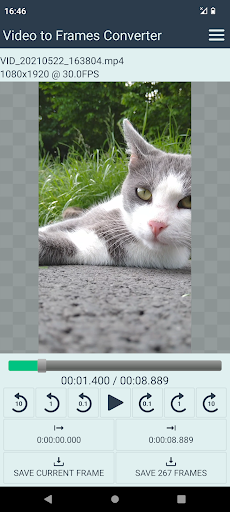
Convert video file to a sequence of image files, or extract single frame.
Intuitive and easy-to-use app that allows you to quickly extract frames from video files.
Extract single frame:
1. Open video file;
2. Play, pause or seek to the desired position;
3. Save current frame.
Extract multiple frames:
1. Open video file;
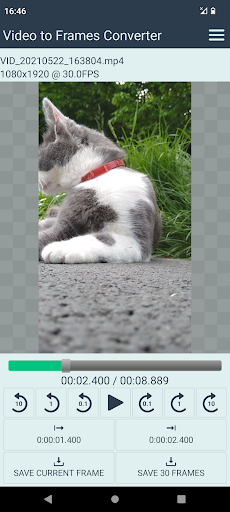
2. Play, pause or seek to the desired start position;
3. Set start position;
4. Play, pause or seek to the desired end position;
5. Set end position;
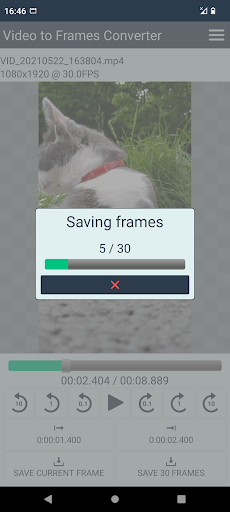
6. Save N frames.
Extract all frames:
1. Open video file;
2. Save N frames.
App features:
• save single frame
• save multiple frames (selected interval)
• save all frames
• output format PNG / JPG
• output Jpeg Quality 0 .. 100 %
• image width x height will be the same as of initial video
• for single frame, output file name will be [video_fn_base]_frame.[ext]
• for multiple frames, output file names will be a number starting from 00000001.[ext]
When saving multiple frames, the initial file name number will be the next number available for saving in that folder. If the folder already contains some frames previously saved, new frames will continue with the next following number. Please note, if the folder contains too many frames, finding the next available number may take some time.