WiFi Hacker Detector


WiFi Hacker Detector Summary
WiFi Hacker Detector is a ad-supported Android app in Tools by WEB STORE. Released in Aug 2018 (7 years ago). It has about 949.4K+ installs and 1.7K ratings with a 3.46★ (mixed) average. Based on AppGoblin estimates, it reaches roughly 35.4K monthly active users and generates around $<10K monthly revenue (0% IAP / 100% ads). Store metadata: updated Aug 9, 2023.
Recent activity: 19 installs this week (135 over 4 weeks) showing steady growth , and -1 new ratings this week View trends →
Store info: Last updated on Google Play on Aug 9, 2023 .
3.46★
Ratings: 1.7K
Screenshots


App Description
WiFi Thief Detector .. Who Use My WiFi ?
*** For best result repeat the scan more than once, especially If your internet connection so slow ***
If your internet connection so slow , feel that someone has hacked your Wi-Fi and spies on your network, do you suspect that someone has your password , WiFi Users is the best solution for you, with one click In a few seconds you can figure out how many Wi-Fi users you have.
Farewell to complex applications and time-consuming software. With the application of Wi-Fi users, the number of users will be determined by the click of a button and within seconds and with the best actual result
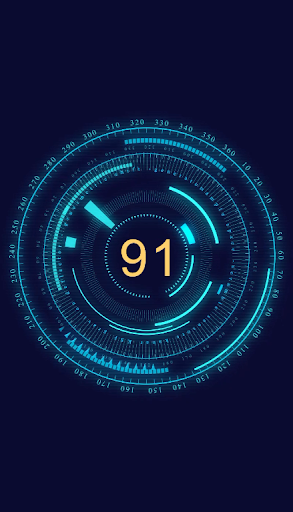
Wi-Fi users have a very simple interface. It has only one button to start search :
- Scan your WiFi network in seconds
- Superfast and intelligent
- Easy to use
- Very lite
- Ads are completely unobtrusive
- Contains animation
- The application is completely free
- Without root
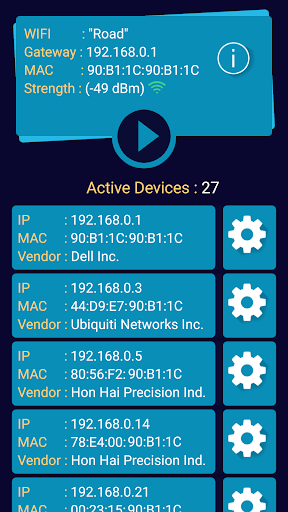
WUM Help you to fing all of your router settings:
- Network IP
- Router MAC Address
- Type of router and manufacturer (Vendor)
- The distance between the router and your phone
- Many other data about the Wi-Fi
WiFi Users also detects all devices connected to the network:
- Your IP and all IPs of other devices
- Your MAC Address and all MAC Addresses of other devices
- Know the name of the device and the type of device and manufacturer of each mobile, computer, printer, laptop, access point and all devices of any kind
- through Wi-Fi or through modem cable