QRcard - digital business card

QRcard - digital business card Summary
QRcard - digital business card is a with in-app purchases Android app in Social Networking by Lukas Hechenberger. Released in Aug 2020 (5 years ago). It has about 18.3K+ installs and 911 ratings with a 4.77★ (excellent) average. Based on AppGoblin estimates, it reaches roughly 1.1K monthly active users and generates around $<10K monthly revenue (100% IAP / 0% ads). Store metadata: updated Apr 1, 2025.
Recent activity: 76 installs this week (379 over 4 weeks) showing steady growth , and 7.00 new ratings this week View trends →
Store info: Last updated on Google Play on Apr 1, 2025 .
4.77★
Ratings: 911
Screenshots

App Description
Share you contact details in an instant.
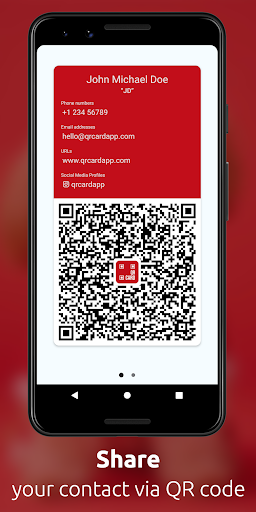
QRcard makes sharing your contact information a breeze with a sleek, customizable digital business card. Tailor your information, then seamlessly share it through your personalized QR code. Ideal for entrepreneurs, sales professionals, and anyone looking to expand their network.
Effortless sharing:
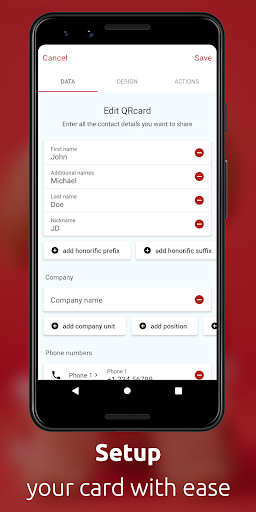
- Select the contact information you want to share
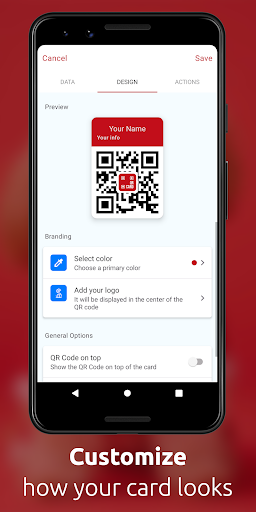
- Personalize your card with unique colors and logos
- Anyone who scans your QR card will instantly receive your contact information
Additional features:
- No Internet connection required for your card to work
- Add your card as a widget to your home and lock screen
- Create multiple cards (in-app purchase required)
- Your data is stored locally on your device, ensuring privacy
Supported data:
- Full name, including academic titles
- Company name, department, title, and role
- Telephone numbers
- Email addresses
- Web sites
- Mailing Addresses
- Social media: LinkedIn, Facebook, Twitter, Instagram, Snapchat, Telegram, and GitHub
In-App Purchases:
- Premium: Unlock unlimited fields for your card
- Additional cards: Create additional cards to separate business and personal contacts
For enterprises, the QRcard Enterprise Edition" app (sold separately) offers a business-optimized version with Mobile Device Management (MDM) support.
Contact us at hello@qrcardapp.com
Follow us on Facebook, Instagram and Twitter: @qrcardapp