HEIC to JPG/PNG Converter



HEIC to JPG/PNG Converter Summary
HEIC to JPG/PNG Converter is a ad-supported Android app in Tools by Essential Apptech. Released in Jan 2024 (2 years ago). It has about 3.5K+ installs Based on AppGoblin estimates, it reaches roughly 153 monthly active users and generates around $<10K monthly revenue (0% IAP / 100% ads). Store metadata: updated Sep 4, 2025.
Recent activity: 4.00 installs this week (11 over 4 weeks) showing below average growth View trends →

Store info: Last updated on Google Play on Sep 4, 2025 .
0★
Ratings: 0
Screenshots

App Description
HEIC to JPG, HEIC to PNG, Batch Image Converter
HEIC to JPG/PNG Converter is a application that allows users to convert multiple images from JPG, PNG format in a single batch. It provides a simple and convenient way to perform mass image conversions without the need for manual conversion.
Easy to capture multiple camera image for batch photo conversation.
Batch Image Converter in JPG, PNG provides a time-saving solution for individuals or businesses dealing with a large number of JPG images that need to be converted to PNG format.
Easy to share image as PDF attachment, Image Attachment, print image or share with any social media platform
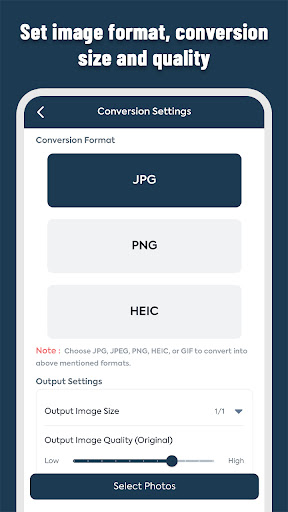
* Possible Image Conversation Options:
- HEIC to JPG/JPEG
- HEIC to PNG
- JPG to PNG
- JPG to HEIC
- PNG to JPG
- PNG to HEIC
- GIF to JPG
- GIF to PNG
* HEIC to JPG/PNG Converter app Key features of the application include:
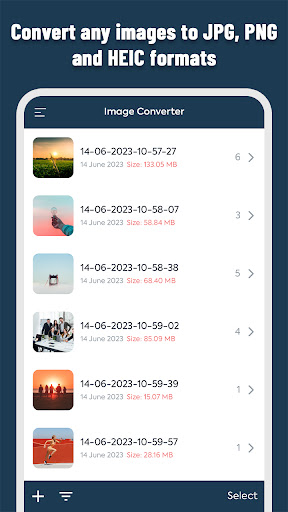
- Batch Conversion: Users can convert multiple JPG images simultaneously and convert them to PNG format with a single click.
- User-Friendly Interface: The application provides an intuitive interface where users can easily select and convert their JPG images for conversion.
- Automated Conversion Process: The application automates the conversion process, eliminating the need for manual conversion of each image individually.
- Progress and Completion Feedback: Users receive real-time feedback on the progress of the conversion process, ensuring transparency and allowing them to track the status of their conversions.
- Efficient and Reliable: image conversion process, ensuring accurate and high-quality conversions.