WIFI FILE EXPLORER


WIFI FILE EXPLORER Summary
WIFI FILE EXPLORER is a ad-supported Android app in Productivity by HIMALAYAN APPS. Released in Jan 2024 (2 years ago). It has about 4.8K+ installs Based on AppGoblin estimates, it reaches roughly 307 monthly active users and generates around $<10K monthly revenue (0% IAP / 100% ads). Store metadata: updated Nov 10, 2025.
Recent activity: 36 installs this week (187 over 4 weeks) showing steady growth View trends →
Store info: Last updated on Google Play on Nov 10, 2025 .
0★
Ratings: 0
Screenshots

App Description
Transfer Your From & To Android From PC , IOS , MAC Etc wirelessly
Wi-Fi File Explorer
About this app
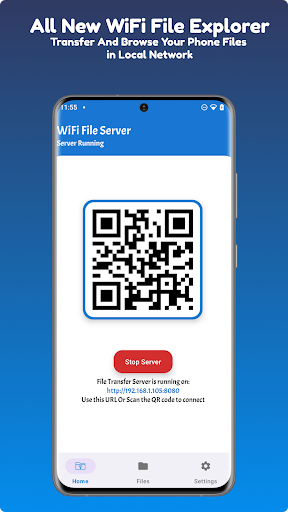
Wi-Fi File Transfer is a light-weight web server that lets you upload and download files to/from your phone or tablet over a wireless connection. Transfer files without a USB cable.
Wi-Fi file transfer can share files between your phone and PC or any other device using Wi-Fi in which you have connected.
Wi-Fi file transfer is a free and secure app which works as Wi-Fi file explorer and Wi-Fi file share.
Wi-Fi file transfer share all kinds of files prom your phone to pc.
FEATURES
• Upload or download multiple files at once
• Delete, Create New Folder, Upload Files,copy ,Cut , Rename Files
• Compatible with all modern operating systems that provide a web browser (Windows, macOS, Linux etc.)
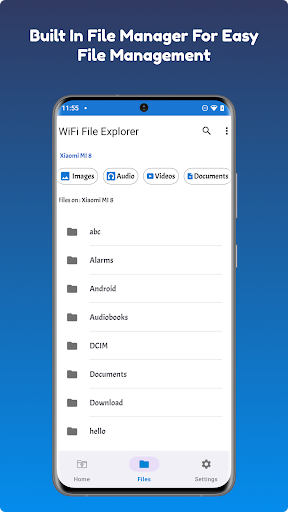
• Built In File Manager For Easy File management.
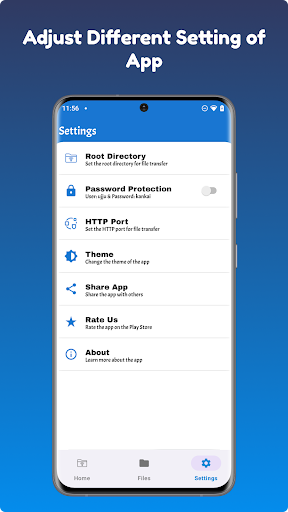
• Password authentication (optional)
• Runs as a background service
• View photos directly in your web browser
• Provides access to external SD cards and USB storage devices
• Works while the device is in hotspot mode
• Transfer Files without USB from PC to phone or phone to pc
• Transfer files from phone to phone or any other platform.
• Can host only specific folder or directory as you set
NOTE
• In order to use this app, your computer and your phone need to be on the same local area network.
• If you would like to use this app on public Wi-Fi networks, please make sure to set an access password in the app settings.
• All Files size is acceptable, no need to pay any price absolutely free
Feel free to send any questions, comments, complaints or suggestions to contact@himalayan-apps.com