Remote Mouse


Remote Mouse Summary
Remote Mouse is a free, ad-supported, with in-app purchases Android app in Tools by Remote Mouse. Released in Mar 2012 (14 years ago). It has about 20.8M+ installs and 123K ratings with a 4.29★ (good) average. Based on AppGoblin estimates, it reaches roughly 1.4M monthly active users and generates around $100K+ monthly revenue (31% IAP / 69% ads). Store last updated Oct 2, 2026
Recent activity: 49K installs this week (109K over 4 weeks) showing steady growth , and 56 new ratings this week View trends →
SDK intelligence: AppGoblin detected 7 development tools(e.g. Google), 2 ad networks, 2 analytics: product, 2 business tools,and 1 mediation integrated into Remote Mouse. View full SDK list →
Remote Mouse SDKs Summary
Remote Mouse was last scanned for SDKs on 2026-08-07. Below is the overview of third-party companies detected in the app. The full list of SDKs, permissions and unknowns is available here.
 Google
 Amazon
 Square
 Flutter
 Kotlin
 AdMob
AdMob Firebase
 Google Analytics
 RevenueCat
 Keepsafe
4.29★
Ratings: 123K
Screenshots
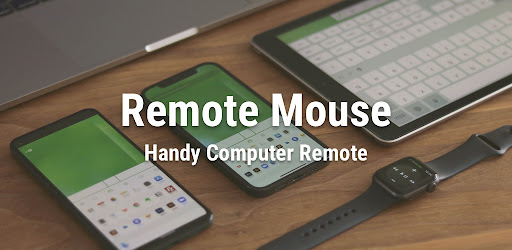


App Description
Use your phone or tablet as a wireless mouse, keyboard & remote for PC or Mac
Remote Mouse™ turns your mobile device into a powerful remote control app for your PC or Mac. Use your phone or tablet as a wireless mouse, keyboard, and touchpad — complete with multi-touch gestures and media controls. Whether you're watching movies, controlling a presentation, or browsing the web from your couch, Remote Mouse™ offers an effortless way to control your computer remotely.
With over 20 million users and featured by CNET, Mashable, and Product Hunt, Remote Mouse™ offers one of the most elegant solutions to computer control from mobile.
What you can do:
Mouse
• Control the cursor like a real PC mouse
• Move using your phone’s gyroscope (Gyro Mouse)
• Left-handed mode support
Keyboard
• Type remotely in any language
• Use voice input (if supported by your soft keyboard)
• Send system and app shortcuts
• Adaptive layouts for Mac or PC
• Use your phone as a remote keyboard for your computer
Touchpad
• Simulates Apple Magic Trackpad
• Supports multi-touch gestures
• Ideal wireless touchpad app for remote navigation
Specialty Panels
• Media Remote: Control videos, music, and presentations across apps and sites like YouTube, Netflix, Disney+, Apple TV+, VLC, Spotify, and more.
• Web Remote: Navigate Chrome, Firefox, and Opera
• App Switcher: Launch and switch between apps
• Power Options: Shut down, sleep, or restart remotely
• Clipboard Sync: Copy and paste text/images across devices
Other features
• Control volume using physical phone buttons
• Secure the connection with a password
• Reorder specialty panels
• Customize your remote with personal wallpapers
Easy to set up:
1. Download and install Remote Mouse for desktop on your computer: https://remotemouse.net
2. Launch the desktop version (it runs in the background)
3. Connect your mobile device to your computer via Wi-Fi or Bluetooth