AR looklook


AR looklook Summary
AR looklook is a mobile Android app in Books And Reference by Integer Ltd. Released in Jul 2021 (4 years ago). It has about 28.5K+ installs and 105 ratings . Based on AppGoblin estimates, it reaches roughly 2.2K monthly active users . Store metadata: updated Apr 28, 2026.
Recent activity: 44 installs this week (170 over 4 weeks) showing below average growth View trends →
Store info: Last updated on Google Play on Apr 28, 2026 .
0★
Ratings: 105
Screenshots

App Description
The application works ONLY with books that have the "Look Look" logo on their covers.
WHAT IS THE APP ABOUT?
AR looklook is a free educational app with augmented reality technology.
This technology supplements popular science encyclopedias and reference books with visual information necessary for a more complete understanding of the material presented in the book.
WHAT BOOKS DOES AR looklook APP work with?
"Underwater world. 101 videos and 1001 photos ”; “Animals. 101 videos and 1001 photos ”and others.
WHAT TO POINT THE MOBILE DEVICE CAMERA TO?
Books contain pages marked with a special red ARlooklook marker.
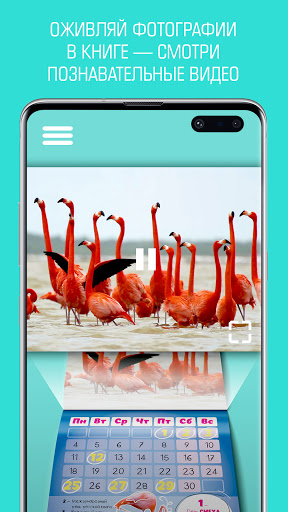
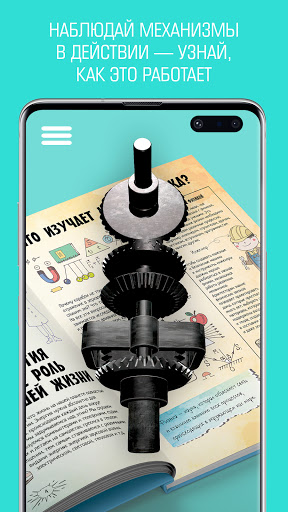
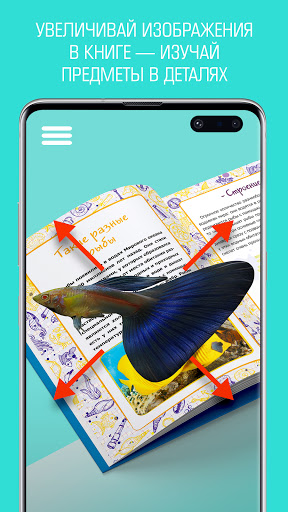
Augmented reality technology places additional information on the pages of books: 3D, video, audio, text. There is also a function to increase and decrease the playback screen. The application allows you to take a photo or video and share it with your friends.
WHAT VIDEO 3D MODELS ARE PRESENTED IN THE BOOK?
STEP-BY-STEP INSTRUCTION:
STEP 1: Install the free AR looklook app.
STEP 2: Launch the application.
STEP 3: Open any book with AR looklook logo….
STEP 4: Point the camera at the page marked with the icon.
STEP 5: Press the on-screen button to scan the page.
STEP 6: Wait for additional materials to be displayed on the page.
STEP 7: Take photos and videos right in the app.
STEP 8: Share with your friends!