iSmart DV2


iSmart DV2 Summary
iSmart DV2 is a ad-supported Android app in Tools by iCatch Technology, Inc.. Released in Aug 2021 (4 years ago). It has about 446.8K+ installs and 821 ratings with a 2.26★ (poor) average. Based on AppGoblin estimates, it reaches roughly 21.9K monthly active users and generates around $<10K monthly revenue (0% IAP / 100% ads). Store metadata: updated Jan 31, 2024.
Recent activity: 3.1K installs this week (10.7K over 4 weeks) showing steady growth , and 2.00 new ratings this week View trends →
Store info: Last updated on Google Play on Jan 31, 2024 .
2.26★
Ratings: 821
Screenshots

App Description
Remote control your camera which embedded iCatch Technology Inc.'s Chip Inside.
(Important : ONLY for the camera which has iCatch Technology Chip's inside!)
All new design version, it will more speed, more compatible.
The app is a remote controller for the camera which has embedded iCatch Technology Inc.'s new chip.
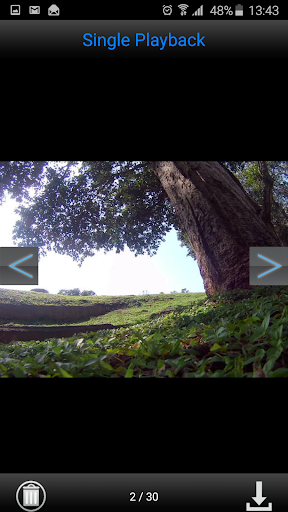
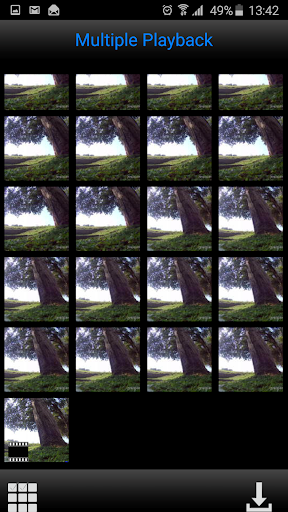
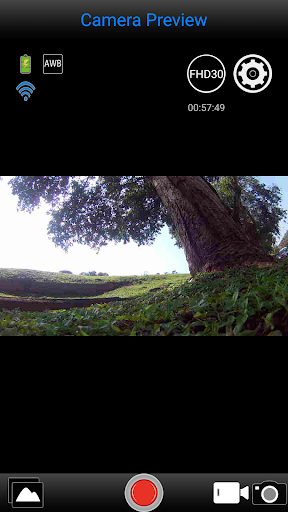
You can connect the Camera or Action Cam by Android Smart Phone or Pad with iSmart DV 2 App, after established the connection, you can live view the camera video stream, trigger start movie record, take a picture, view the thumbnail, and download the video or picture.
Connection Step:
1. Open camera WiFi
2. Some android phone need to switch to aeroplane mode/ airplane mode. (importment!!)
3. Some android phone need to turn off [Smart Network Switch] or [when wireless weak, wifi will auto smart switch] function in WIFI advanced setting .(importment!!)
4. Connecting to the camera WiFi AP, the password is on the manual.
5. Open the App
Features:
1. Preview stream, Live streaming from camera.
2. Trigger action, In the preview stream, you can trigger camera to take a video or picture.
3. Support burst shot
4. Support delay capture.
5. Support video quality change.
6. Support image size change.
7. Support white-balance change
8. Format the camera SD card.
9. Listing photo & video files and download or delete files.
10. Single photo playback.
11. Automatic time correction with Android Smart Phone or Pad when established the connection.
12. Preview streaming is more smoothing.
*13. Support video playback with audio before download.
*14. Support upside down.
*15. Support slow motion.
Note :
* mean: These features are depending on camera device; Please make sure your camera have these features.