Shopping List - Simple & Easy


Shopping List - Simple & Easy Summary
Shopping List - Simple & Easy is a ad-supported, with in-app purchases Android app in Shopping by Opulogic Inc. Released in Dec 2018 (7 years ago). It has about 3.6M+ installs and 28.4K ratings with a 4.51★ (excellent) average. Based on AppGoblin estimates, it reaches roughly 131.6K monthly active users and generates around $10K+ monthly revenue (37% IAP / 63% ads). Store metadata: updated Jun 11, 2026, version 308.
Recent activity: 10.2K installs this week (36.5K over 4 weeks) showing steady growth , and 75 new ratings this week View trends →
Advertising: AppGoblin detected 1.00 monetized ad creatives shown inside the app.
Data tracking: SDKs and third-party integrations were last analyzed on Jun 1, 2026. The app's network data flows (API traffic to/from the app and its SDKs) were last crawled on Dec 17, 2025.
Store info: Last updated on Google Play on Jun 11, 2026 (version 308).
SDKs, Trackers & Permissions
Shopping List - Simple & Easy was last scanned for SDKs 2026-06-01. Below is the overview of third party companies detected in the app. The full list of raw SDKs, app permissions and unknown SDKs is available here.
AppGoblin saw Shopping List - Simple & Easy uses 1 Mediation
 AdMob
AdMobAppGoblin saw Shopping List - Simple & Easy uses 4 Development Tools
 Square
 Google
 Kotlin
 Greenrobot
AppGoblin saw Shopping List - Simple & Easy uses 2 Analytics: Product
 Firebase
 Mixpanel
AppGoblin saw Shopping List - Simple & Easy uses 2 Ad Networks
 Facebook
App Details
App Store
Ads & App-Ads.txt
AppGoblin SDK Scans
4.51★
Ratings: 28.4K
Screenshots

App Description
Easy, fast, simple. You need this app. Grocery and shopping list on your phone.
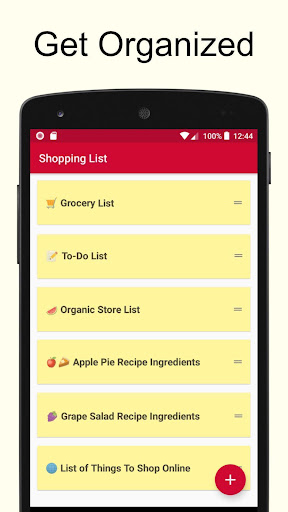
This is a very simple shopping list app. Makes it very easy to create multiple lists. For example, you can create one for each store that you shop at. Use it as a grocery list app or for any other listing needs that you may have. It's free!
Here are the super simple instructions:
* Click on the plus sign to create a new list.
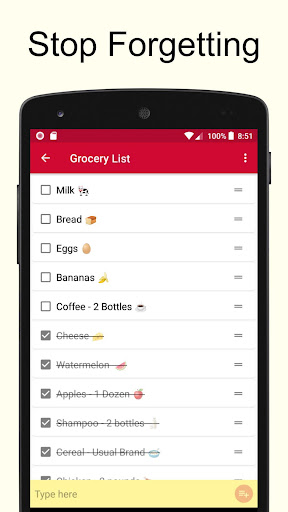
* Enter the items to buy in the yellow text box.
* Tap to cross off the item when done.
Some Helpful Tips
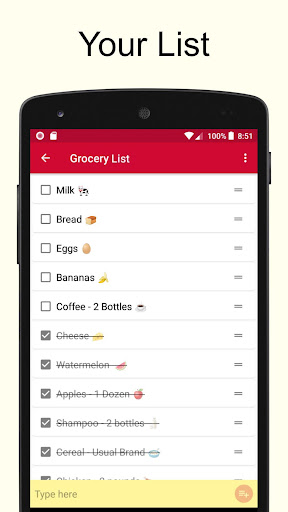
* Lists are reusable. So for example, if you make a grocery list to shop for groceries at the local store, it can be reused over and over again. There is no need to keep making a new one each time. Just make it once, and after that just check and uncheck the items. It will be uniquely yours and will always have the items you buy.
* Hit the trash icon to clean up and get rid of crossed items.
* Emojis can be inserted using the built in function of your keyboard.
* Lists can be sorted alphabetically.
* Lists can be synched across multiple devices in real time.