PDF Scanner: Scan Documents

PDF Scanner: Scan Documents Summary
PDF Scanner: Scan Documents is a with in-app purchases Android app in Productivity by Media Mate Studio. Released in Mar 2021 (5 years ago). It has about 167.3K+ installs Based on AppGoblin estimates, it reaches roughly 11.8K monthly active users and generates around $<10K monthly revenue (100% IAP / 0% ads). Store metadata: updated Aug 26, 2025.
Recent activity: 4.3K installs this week (7.4K over 4 weeks) showing exceptional growth View trends →
Store info: Last updated on Google Play on Aug 26, 2025 .
0★
Ratings: 0
Screenshots


App Description
Scan paper document or any pictures to PDF with the pocket mobile scanner app.
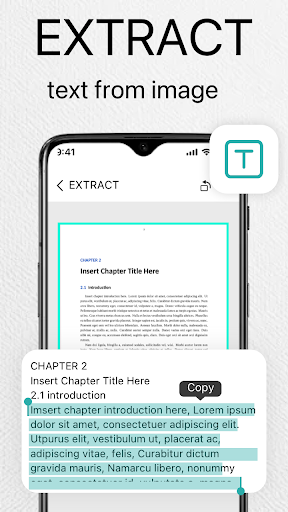
PDF Cam Scanner turns your Android devices into a PDF scanner for a document, a photo captured by camera, a receipt, a note, an invoice, a business card, a whiteboard or other file formats. With this fast document scanner, you can quickly convert your document, then print or email them as multiple pages PDF files.
👉Features:
🌟- Quickly Digitize Document
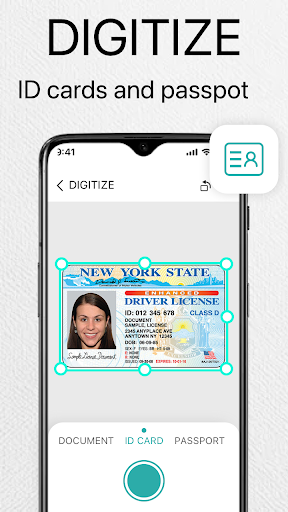
Just use your phone camera to scan and digitize all kinds of paper documents: receipts, notes, invoices, whiteboard discussions, business cards, certificates, etc.
🌟- Optimize Scan Quality
Smart cropping and auto enhancing ensure the texts and graphics in scanned documents are clear and sharp with premium colors and resolutions.
🌟- Share PDF/PNG Files
Easily share documents in PDF or PNG format with friends via various ways: post on social media, send attachment through email.
🌟- PDF Converter
PDF to JPG Converter is an easy-to-use app to convert multiple PDF files to high quality and high resolution JPG, PNG or WEBP images offline.
Permission Overview:
1. Storage: PDF Cam Scanner needs permission to store documents on your phone.
2. Camera: PDF Cam Scanner needs permission to use camera to scan documents.