PieCheck: Budget & Expense


PieCheck: Budget & Expense Summary
PieCheck: Budget & Expense is a ad-supported, with in-app purchases Android app in Finance by Duuby. Released in Sep 2025 (8 months ago). It has about 78+ installs Based on AppGoblin estimates, it reaches roughly 21 monthly active users and generates around $<10K monthly revenue (67% IAP / 33% ads). Store metadata: updated May 5, 2026.
Recent activity: 14 installs this week (16 over 4 weeks) showing exceptional growth View trends →
Store info: Last updated on Google Play on May 5, 2026 .
0★
Ratings: 0
Screenshots


App Description
Track expenses, manage your budget and keep your personal finance on track.
Your Powerful Assistant for Financial Organization: PieCheck
PieCheck makes personal finance tracking simple, organized, and understandable for everyone.
It helps you control your expenses, manage your budget, and progress toward your financial goals with more confidence.
By gathering all your expenses on a single screen, it gives you real visibility into your finances.
- Put an End to End-of-Month Calculation Chaos
Add your monthly payments once; PieCheck tracks the rest for you.
Manage your income and expenses quickly and easily, without manual calculations.
- Make Finance Tracking Smarter
PieCheck is a smart assistant designed to help you keep your daily spending and monthly budget organized.
It simplifies money management, helps you analyze your financial habits, and allows you to make more informed decisions.
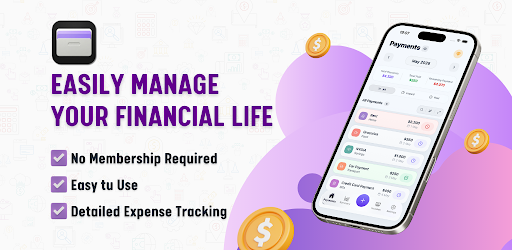
You can quickly add expenses, create your monthly financial plan, and view your money flow with detailed charts.
Collecting all your financial activity in one app makes budget control easier than ever.
- Stop Wasting Time with Calculators Every Month
No more calculators, pens, or paper for tracking income and expenses.
Enter your recurring monthly payments once and let PieCheck handle the rest.
Organize all your spending on a single screen and take real control of your finances.
- Simplify Personal Finance Management
Create your budget, manage your expenses, and see your money flow clearly.
With modern design and powerful features, finance tracking becomes much more practical.
- Receive Payment Reminder Notifications
Get personalized notifications so you don’t forget your payments.
Never miss a due date.
- Gain Financial Awareness
Track your spending regularly to increase your financial awareness.
PieCheck makes your money flow visible and helps you identify unnecessary expenses.
This gives you complete control over your budget.
- Categorize Your Income and Expenses
Create your own categories and record all transactions in an organized way.
Analyze spending trends with detailed charts.
- Add Installment, Recurring, or One-Time Expenses
Choose the expense type when adding payments and set any frequency you want.
Track all kinds of expenses with daily, weekly, monthly, and many other options.
- Multi-Currency Support
Add transactions in many currencies. Easily manage expenses in different currencies.
- A Clearer, More Organized Financial Life
Manage your monthly expenses more accurately.
See exactly where your money goes.
Your spending habits become clearer over time.
Creating and sticking to your budget becomes much easier.
With PieCheck, you can strengthen your personal finance tracking and build a more controlled financial life.
-------
Access Even More with PieCheck Premium
- Unlimited Income & Expense Entries
Create as many records as you want each month.
- Ad-Free Experience
Enjoy a cleaner, uninterrupted interface.
- Export in Excel Format
Save your income and expenses as Excel files and create monthly reports.
- Easy Data Transfer When Changing Devices
When switching devices, you can transfer your data from the old device to the new one.
Continue right where you left off without re-entering your expenses.
- Custom Themes and Color Options
Personalize the look of the app to your preference.
You can start now and track all your financial data in an organized way.
-------
Terms of Use:
https://www.apple.com/legal/internet-services/itunes/dev/stdeula/