Multiple Images to PDF- Maker

Multiple Images to PDF- Maker Summary
Multiple Images to PDF- Maker is a ad-supported Android app in Productivity by Dhaneswar ojha. Released in Jan 2025 (1 year ago). It has about 152+ installs Based on AppGoblin estimates, it reaches roughly 14 monthly active users and generates around $<10K monthly revenue (0% IAP / 100% ads). Store metadata: updated Feb 5, 2026.
Recent activity: 4.00 installs this week (18 over 4 weeks) showing strong growth View trends →
Store info: Last updated on Google Play on Feb 5, 2026 .
0★
Ratings: 0
Screenshots


App Description
Instantly convert images to PDF: simple, fast, and efficient.
Transform Images to PDF Effortlessly with Multiple Images to PDF - Maker!
Searching for a smooth, reliable image to pdf converter? Look no further! Multiple Images to PDF - Maker is your go-to solution for quickly and easily converting multiple images into a single, professional PDF document. Perfect for creating reports, compiling receipts, designing presentations, or simply sharing photos as a cohesive file.
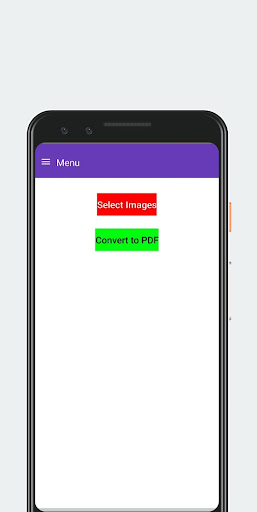
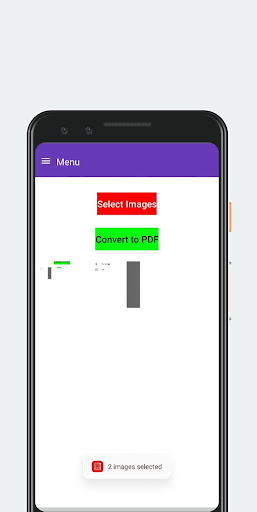
Select, Convert, and Share – It's That Simple!
Choose images from your gallery with a few taps, and let our powerful converter do the rest. Experience lightning-fast PDF generation without compromising quality. Our user-friendly interface ensures a hassle-free experience, even for first-time users.
Key Features of this Powerful Image to PDF Converter:
* Batch Image Conversion: Combine multiple photos or images into one streamlined PDF. Perfect for creating comprehensive documents.
* Single Image to PDF: Need to convert just one image? No problem! Quickly transform individual images into PDF format.
* Intuitive Image Selection: Easily browse and select images from your device's gallery.
* Blazing-Fast Conversion: Get your PDFs in seconds, thanks to our optimized conversion engine.
* User-Friendly Design: Enjoy a clean and simple interface designed for effortless navigation.
Stop juggling multiple image files. Download Multiple Images to PDF - Maker now and experience the ultimate image to pdf converter! Streamline your workflow and share information efficiently.
Contact us at instantapphelp@gmail.com with any questions or feedback.