ChatsBack See Deleted Messages


ChatsBack See Deleted Messages Summary
ChatsBack See Deleted Messages is a free, with in-app purchases Android app in Tools by Wheatfield Guard Technology Co., Ltd.. Released in Oct 2022 (4 years ago). It has about 464K+ installs and 622 ratings with a 2.83★ (poor) average. Based on AppGoblin estimates, it reaches roughly 20K monthly active users and generates around $<10K monthly revenue (100% IAP / 0% ads). Store last updated Aug 4, 2025
Recent activity: 1.3K installs this week (5.4K over 4 weeks) showing above average growth , and 3.00 new ratings this week View trends →
ChatsBack See Deleted Messages SDKs Summary
App not yet scanned for SDKs.
2.83★
Ratings: 622
Screenshots


App Description
Recover deleted messages, photos, videos & voice notes easily.
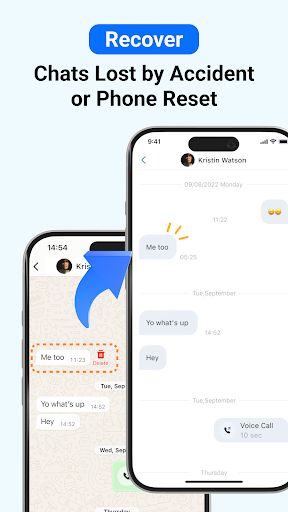
ChatsBack is a powerful recovery app that helps you easily recover deleted messages, photos, videos, voice notes, and files - even if you don't have a backup. Whether your chats were accidentally deleted, lost during a phone reset, or retracted by the sender, ChatsBack makes recovery simple and secure.
Key Features
📩 Recover deleted messages without backup
📸 Restore photos, videos, voice notes, and documents
👀 View messages and attachments that were recalled or retracted
🔒 No blue tick - read deleted messages privately
💾 Export recovered data to HTML, PDF, CSV, or Excel for safekeeping
⚡ High success rate on the latest Android versions, including Android 13+
Common Use Cases
- Accidentally deleted important chats
- Phone reset or system update caused message loss
- Need to restore family photos, videos, or voice messages
- Retrieve work files or contacts shared in groups
- Access and organize old conversations for personal records
Why Choose ChatsBack?
★ Practical & Reliable - Recover deleted messages without backup in just a few taps.
★ Simple & Clear- User-friendly design with step-by-step guides for easy recovery.
★ Safe & Secure - Your data privacy is highly protected and will never be shared.
★ Convenient & Flexible - Directly save recovered messages and media to your phone, or export them to your computer for backup.
How It Works?
1. Download and install the ChatsBack app on your Android device.
2. Grant the necessary permissions to enable recovery.
3. Scan, preview, and select the data you want to restore.
4. Recover deleted messages and files instantly to your phone or computer.
No more frustration when important chats or media disappear. With ChatsBack, you can always keep your history safe, organized, and accessible.
🌟 Start using ChatsBack today and never lose your data again!
Privacy Policy: https://www.imyfone.com/company/privacy-policy/
Terms of Service: https://www.imyfone.com/company/terms-conditions-2018-05/
License Agreement: https://www.imyfone.com/company/license-agreement/