LiveBoard: Online Whiteboard


LiveBoard: Online Whiteboard Summary
LiveBoard: Online Whiteboard is a with in-app purchases Android app in Education by LiveBoard. Released in Mar 2015 (11 years ago). It has about 2.4M+ installs and 10K ratings with a 4.02★ (good) average. Store metadata: updated Jul 10, 2025, version 5253.
Recent activity: 2.6K installs this week (244.5K over 4 weeks) showing steady growth , and 6.00 new ratings this week View trends →
Data tracking: SDKs and third-party integrations were last analyzed on May 2, 2026.
Store info: Last updated on Google Play on Jul 10, 2025 (version 5253).
LiveBoard: Online Whiteboard was last scanned for SDKs 2026-05-02. Below is the overview of third party companies detected in the app. The full list of raw SDKs, app permissions and unknown SDKs is available here.
 Jake Wharton
 Google
 JetBrains
 Square
 LiveKit
 Mixpanel
 Firebase
4.02★
Ratings: 10K
Screenshots


App Description
LiveBoard is an online whiteboard to teach, tutor, learn and collaborate online.
LiveBoard is an online collaborative platform designed specifically for teaching online!
Use LiveBoard to:
• Share your experience whenever & wherever you are.
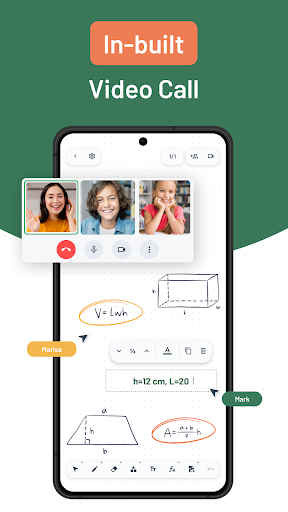
• Communicate with the students in real-time via live messaging or audio chat.
• Make all students feel present. Let absent students participate as if they are in the classroom. Make classroom teaching easy and interactive via shared whiteboards.
• Invite external guests with a public link. Let parents and your future students get familiar with your knowledge and working style.
• Fully control drawing, writing and chatting functionality of the participants. Enable and disable them during the whole session.
• Teach different subjects and have separate groups for each of your classes or group of participants.
• Create groups with predefined members. Maintain all essential materials related to that group in one place and easily share them later. Save time on inviting participants for each session manually.
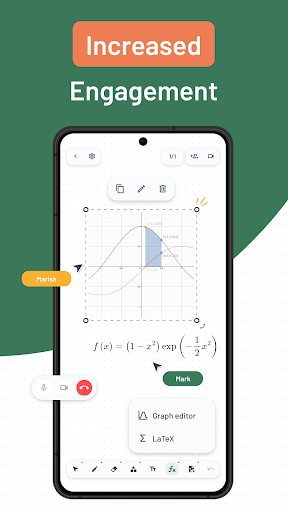
• Visualize teaching. Import JPEG, PNG images and PDF files to make your lessons easy to understand & memorize.
• Turn your lessons into video presentations. Record your sessions and share them with your students for later review and exam preparation.
• Maintain your lessons for online tutoring. Keep all your materials in one place and use them later while starting your online tutoring business.
• Spread your knowledge and share your experience. Record all your desired sessions and share them on your Facebook, LinkedIn, Slideshare and YouTube profiles to gain brand awareness and more potential students in the future.
Questions? Suggestions? Don’t hesitate to email us at support@liveboard.online
Download now. Enjoy a 14-day free trial of any paid plan!