Time Tracker - Track Productiv

Time Tracker - Track Productiv Summary
Time Tracker - Track Productiv is a ad-supported, with in-app purchases Android app in Productivity by Inspire Zone. Released in Sep 2021 (4 years ago). It has about 1.9K+ installs Based on AppGoblin estimates, it reaches roughly 56 monthly active users and generates around $<10K monthly revenue (27% IAP / 73% ads). Store metadata: updated Aug 20, 2024.
Store info: Last updated on Google Play on Aug 20, 2024 .
0★
Ratings: 0
Screenshots


App Description
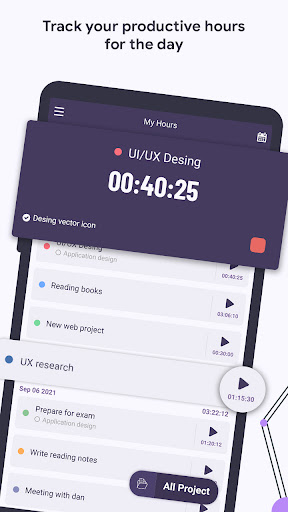
Track how much time you spend on different activities and tasks during the day.
To spend the day effectively, you need to invest your time wisely. By using the productivity and time management tools in the time tracker, monitor and manage the time spent on various tasks and projects.
By tracking your time you are more mindful about how you spend your time, and you can allocate your time according to your goals and priorities.
⏱️ Task Timer or Manual Time Entry
- Time Tracker will start tracking your task immediately and keep the duration until you toggle the task.
- Manually input work hours on tasks. Ideal for when you forget to toggle time tracking or when adding tasks in bulk.
- Single click time tracking for all of your activities
- Achieve more by improving your productivity
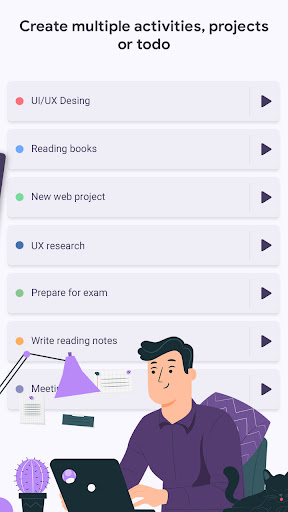
- Stay organized by splitting your projects into smaller tasks
Time Tracker – Track Productive Hours app offers below useful feature :
- Set time format into 12/24 hours
- Set multiple reminder notifications for your upcoming project or task
- Backup/Restore your work with Google drive
- View most productive tasks and activities with chart and statistics
- Split your work/tasks into sessions of focus followed by short breaks
- This app is very useful for management tasks and projects, task management, productive hours.
- View detailed reports and statistics of all your tracked time
- Easy to view your all hours from calendar view and see the details