IP Camera Monitor

IP Camera Monitor Summary
IP Camera Monitor is a ad-supported, with in-app purchases Android app in Tools by Deskshare Inc. Released in Mar 2019 (7 years ago). It has about 2.6M+ installs and 3.4K ratings with a 3.58★ (average) average. Based on AppGoblin estimates, it reaches roughly 294.5K monthly active users and generates around $10K+ monthly revenue (26% IAP / 74% ads). Store metadata: updated Sep 27, 2023, version 422.
Recent activity: 306 installs this week (1.2K over 4 weeks) showing steady growth , and -3 new ratings this week View trends →
Data tracking: SDKs and third-party integrations were last analyzed on Apr 26, 2026. The app's network data flows (API traffic to/from the app and its SDKs) were last crawled on May 5, 2026.
Store info: Last updated on Google Play on Sep 27, 2023 (version 422).
SDKs, Trackers & Permissions
IP Camera Monitor was last scanned for SDKs 2026-04-26. Below is the overview of third party companies detected in the app. The full list of raw SDKs, app permissions and unknown SDKs is available here.
 Bumptech
 Square
 JetBrains
 Google
 AdMob
AdMob Firebase
App Details
App Store
Ads & App-Ads.txt
AppGoblin SDK Scans
3.58★
Ratings: 3.4K
Screenshots

App Description
Access and control your IP cameras from your Android device.
Remotely access and control your IP Cameras from anywhere.
Set up an effective IP camera video monitoring system within minutes!
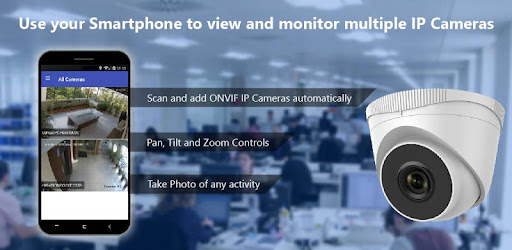
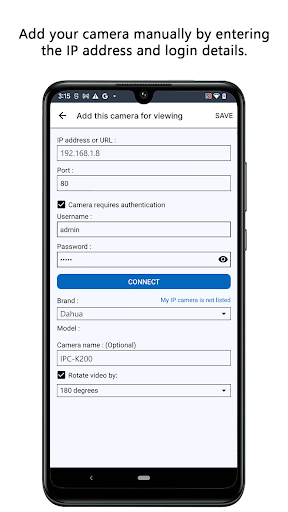
View live video from any IP camera remotely. IP camera models from different vendors are supported. Any camera that supports ONVIF and present in the local network will be automatically detected by IP Camera Monitor. If the camera is present beyond the local network then you can manually add such cameras in the application.
IP Camera Monitor is the best app for video surveillance. Watch a live video of any camera directly from your phone no matter where you are. You can also capture photos of the event.
IP Camera Monitor with Security Monitor Pro is a perfect combination when you need to control Security Monitor Pro cameras remotely on your Android device. Security Monitor Pro is a professional video surveillance software which turns your PC and IP cameras into a full video security system.
You need to install Security Monitor Pro on your Windows PC.
Watch the video tutorial to see how easy it is to connect to Security Monitor Pro and remotely access cameras on your Android mobile device.
Keep an eye on your home, office, parking area or anywhere you need security.
Key features:
• Auto detects ONVIF cameras within the local network: View a live video of all the ONVIF cameras present in your local area network. These are automatically detected by IP Camera Monitor.
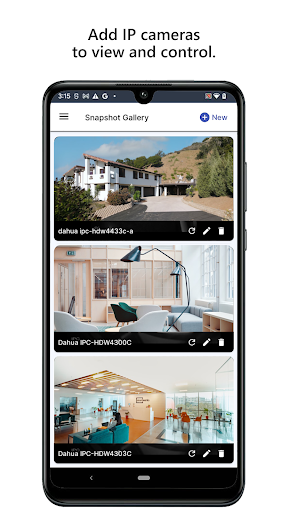
• View IP cameras from anywhere: Add IP cameras present beyond local area network and see what's happening in your home, office or parking area.
• PTZ support for IP cameras: Adjust the orientation, rotation and tilt direction of your camera preview using Pan-Tilt-Zoom camera controls.
• Access to Security Monitor Pro cameras: Now access and control cameras added in Security Monitor Pro directly from your phone. You can remotely control actions such as monitoring, video recording, and capturing a photo. Access recorded media files and event logs directly from your device.
LIKE US and STAY CONNECTED
Facebook: https://www.facebook.com/Deskshare-1590