Photo Blur Effects - Variety


Photo Blur Effects - Variety Summary
Photo Blur Effects - Variety is a ad-supported, with in-app purchases Android app in Photo And Video by Iris Studios and Services. Released in Oct 2016 (9 years ago). It has about 1.1M+ installs and 1.8K ratings with a 3.17★ (mixed) average. Based on AppGoblin estimates, it reaches roughly 14K monthly active users and generates around $<10K monthly revenue (74% IAP / 26% ads). Store metadata: updated Mar 6, 2020, version 11.
Recent activity: 12.9K installs this week (22.5K over 4 weeks) showing exceptional growth View trends →
Data tracking: SDKs and third-party integrations were last analyzed on Mar 28, 2026. The app's network data flows (API traffic to/from the app and its SDKs) were last crawled on Mar 28, 2026.
Store info: Last updated on Google Play on Mar 6, 2020 (version 11).
Photo Blur Effects - Variety was last scanned for SDKs 2026-03-28. Below is the overview of third party companies detected in the app. The full list of raw SDKs, app permissions and unknown SDKs is available here.
 Firebase
 Google Analytics
 Google
 AdMob
AdMob Bumptech
3.17★
Ratings: 1.8K
Screenshots


App Description
Variety of blur effects to create perfect photo focus.
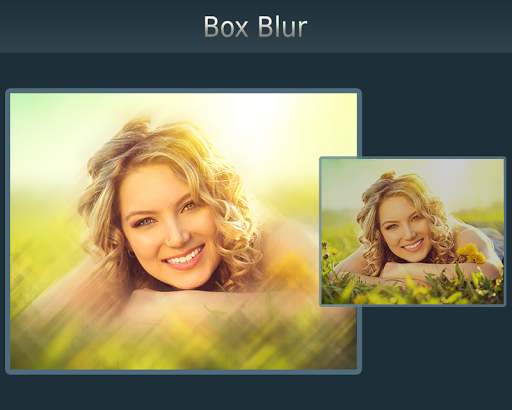
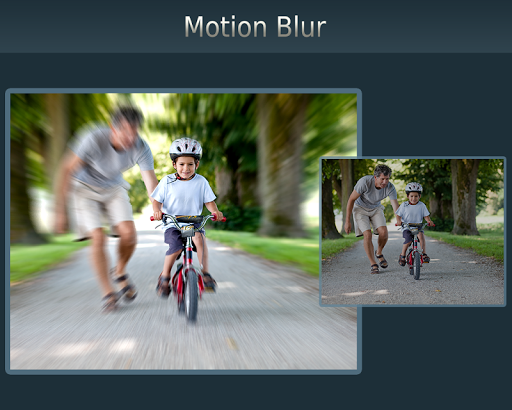
Photo Blur Effects - Variety provides multiple blur effects to create amazing Photo Focus pictures with just one touch. TRY NOW!!!
You can use variety of blur options to get the perfect blur and create focus effect on your images:
- Motion Blur,
- Gaussian Blur,
- Line Blur,
- Box Blur,
- Pixel Blur
Photo Blur Effects - Variety is very easy to use app to create perfect focus by adjusting blur effect with slide-bar.
Just select the picture from your gallery or capture from camera and apply blur effects, tap on picture to focus that area and adjust the focus area with slide-bar, you can also adjust the blur effect intensity with slide-bar.
Features:
***** Select or capture image
- Select image from gallery or capture from camera
***** Apply Blur Effect
- Apply one of the various blur effects like Motion, Gaussian, Line, Box, Pixel blur
***** Adjust Blur intensity
- Adjust the blur effect intensity with slide-bar
***** Tap to focus
- Tap the area where you want focus
***** Adjust Focus
- Adjust the focus radius with slide-bar
***** Save & Share
- Save your creation on SD Card and share on any social media directly from the app
Transforms your favorite picture into a fashionable eye catcher. Try Now!!