Simply Adaptive Icon Pack


Simply Adaptive Icon Pack Summary
Simply Adaptive Icon Pack is a with in-app purchases Android app in Personalization by PizzApp Design. Released in Dec 2024 (1 year ago). It has about 18.4K+ installs and 477 ratings with a 4.37★ (good) average. Based on AppGoblin estimates, it reaches roughly 496 monthly active users and generates around $<10K monthly revenue (100% IAP / 0% ads). Store metadata: updated Mar 15, 2026.
Recent activity: 147 installs this week (897 over 4 weeks) showing below average growth , and 1.00 new ratings this week View trends →
Store info: Last updated on Google Play on Mar 15, 2026 .
4.37★
Ratings: 477
Screenshots

App Description
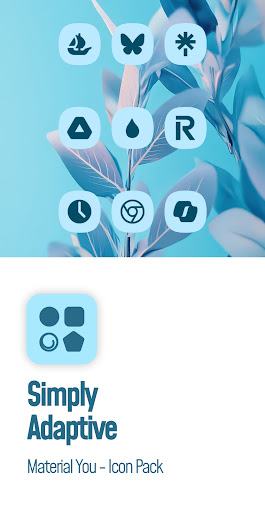
Material You icons with dynamic shapes and seamless light/dark mode support!
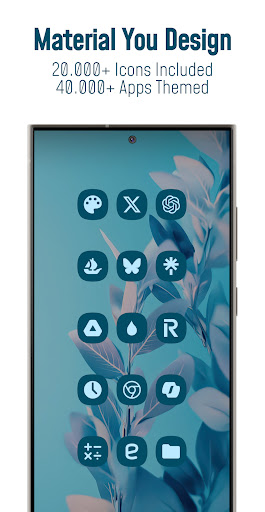
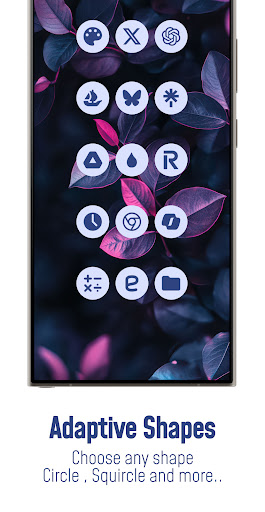
🔮Bring your Android 12+ home screen to life with Material You Adaptive Icon Pack that adapt to the dominant accents of your wallpaper , shifts in color tones between Day and Night modes , effortlessly adjust to your preferred shapes from rounded squares to teardrops and more supported by third-party launchers!
Each icon is in balanced proportions and uses palette that complements themed material you design.
*Please note: Icon colors may vary depending on your device’s launcher, theme settings, or other factors. The screenshots featured in this listing were captured using Nova Launcher—actual results may differ slightly based on your unique setup*
📱FEATURES
• 25.000+ Material You Icons Included
• 45.000+ Apps Themed
• Exclusive Dynamic Wallpapers
• Dynamic Calendars for supported launchers
• Material You User-Friendly Dashboard
• Icon Requests for your apps (Free and Premium)
• Icon Masking with Theme Accent for unthemed apps
• Regular Updates for new icons
🎨CATEGORIES OF ANDROID APPS COVERED
• System Apps
• Google Apps
• Stock OEM Apps
• Social Apps
• Media Apps
• Games Apps
• Many other apps...
📃HOW TO USE / REQUIREMENTS
• Install a compatible launcher listed below
• Open the Icon Pack app, tap on apply or select it in your launcher settings.
✅SUPPORTED LAUNCHERS - THEMED ICONS
Hyperion • Kiss • Kvaesisto • Lawnchair • Niagara • Nothing • Nova Launcher • Pixel (with Shortcut Maker) • Poco • Samsung One UI (with Theme Park) • Smart • Square • Tinybit ...may be compatible with other launchers not listed here!
📝EXTRA NOTES
• A Third-Party Launcher or OEM Compatibility is required for it to work.
• Icon unthemed or missing? Send a free icon request within the app, and I will add it as soon as possible in future updates.
• FAQ section inside the app answers many common questions. Please read it before emailing your inquiries.
🌐CONTACT / FOLLOW US
• Link In Bio : linktr.ee/pizzappdesign
• Email Support : pizzappdesign@protonmail.com
• Instagram : instagram.com/pizzapp_design
• Threads : threads.net/@pizzapp_design
• X (Twitter) : twitter.com/PizzApp_Design
• Telegram Channel : t.me/pizzapp_design
• Telegram Community : t.me/customizerscommunity
• BlueSk