Iriun 4K Webcam for PC and Mac


Iriun 4K Webcam for PC and Mac Summary
Iriun 4K Webcam for PC and Mac is a ad-supported, with in-app purchases Android app in Tools by Iriun Oy. Released in May 2018 (8 years ago). It has about 10.7M+ installs and 15.2K ratings with a 3.92★ (average) average. Based on AppGoblin estimates, it reaches roughly 272.1K monthly active users and generates around $10K+ monthly revenue (45% IAP / 55% ads). Store metadata: updated Apr 2, 2026, version 200.
Recent activity: 32.9K installs this week (137K over 4 weeks) showing steady growth , and 19 new ratings this week View trends →
Data tracking: SDKs and third-party integrations were last analyzed on May 1, 2026. The app's network data flows (API traffic to/from the app and its SDKs) were last crawled on Apr 27, 2026.
Store info: Last updated on Google Play on Apr 2, 2026 (version 200).
Iriun 4K Webcam for PC and Mac was last scanned for SDKs 2026-05-01. Below is the overview of third party companies detected in the app. The full list of raw SDKs, app permissions and unknown SDKs is available here.
 Firebase
 AdMob
AdMob Google
3.92★
Ratings: 15.2K
Screenshots

App Description
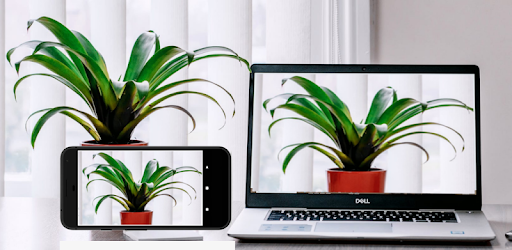
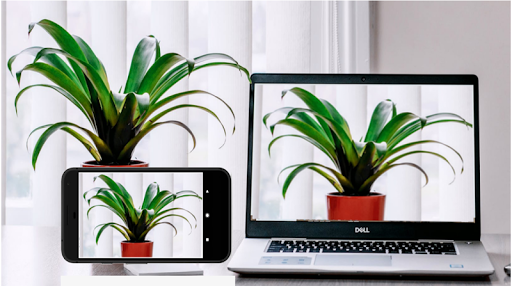
Use your Android phone's camera as a wireless webcam in PC or Mac.
Use your Android phone's camera as a wireless webcam in PC or Mac. Install needed drivers and use your phone with Teams, Zoom, OBS etc video applications.
Installing drivers for the computer:
Please make sure to download the needed drivers for your PC from https://iriun.com
Using webcam:
1. Launch Iriun Webcam app on your phone
2. Start Iriun Webcam Server on your PC
3. The phone is connected automatically to your PC using wireless WiFi network and the camera is ready to use.
4. Configure your desktop application to use Iriun Webcam as source for audio and video
Features:
- Works with screen off
- Connects with WiFi or USB.
- Supports resolutions up to 4K. (Max resolution depends on the phone model)
- Pinch zoom
- Mirroring
Pro version features:
• No watermark
• Manually adjust ISO, exposure and white balance
• Remotely control camera from the Desktop too
• No Ads