Apps Default Settings Controls


Apps Default Settings Controls Summary
Apps Default Settings Controls is a free, ad-supported, with in-app purchases Android app in Tools by JB Andro. Released in Jul 2024 (2 years ago). It has about 17K+ installs and 143 ratings with a 3.78★ (average) average. Based on AppGoblin estimates, it reaches roughly 1.4K monthly active users and generates around $<10K monthly revenue (52% IAP / 48% ads). Store last updated Jun 1, 2026
Recent activity: 107 installs this week (791 over 4 weeks) showing declining growth , and 1.00 new ratings this week View trends →
Apps Default Settings Controls SDKs Summary
App not yet scanned for SDKs.
3.78★
Ratings: 143
Screenshots



App Description
Set, Change or clear default apps for different file types, images, videos etc.
➤ Easily Set, Change, or Clear Default Applications for Categories and Various File Types.
➤ Make your phone functioning apps easier to use by managing your default apps with just a few taps. Choose which apps open your files, images, or videos. Keep your device organized and set it up exactly how you like.
Key Features:
➤ Change Default Applications: Set or clear default apps to open your files, images, or videos with your preferred applications.
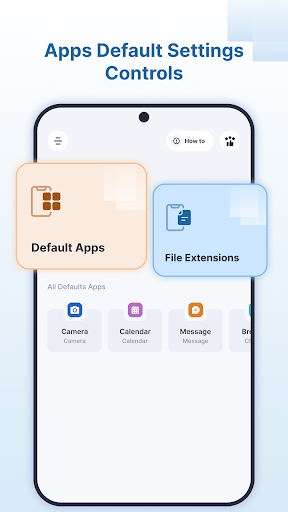
➤ Categorized Defaults: Quickly check and manage default apps for specific categories.
◉ Browser
◉ Messages
◉ Calendar
◉ Email
◉ Geolocation
◉ Home Launcher
◉ Call Dialer
◉ Camera
➤ File Type Management: Set or clear default applications for audio, photo, video, and various file types.
➤ Home Screen Overview: See all currently set default apps on the Home Screen for a clear and quick overview.
➤ Effortlessly manage your default apps and personalize your phone by choosing which apps handle your files and actions.