AutoInput


AutoInput Summary
AutoInput is a ad-supported, with in-app purchases Android app in Productivity by joaomgcd. Released in Oct 2014 (11 years ago). It has about 808.3K+ installs and 3.2K ratings with a 3.97★ (average) average. Based on AppGoblin estimates, it reaches roughly 11.3K monthly active users and generates around $<10K monthly revenue (43% IAP / 57% ads). Store metadata: updated Nov 14, 2025.
Recent activity: 1.5K installs this week (5.6K over 4 weeks) showing steady growth , and 6.00 new ratings this week View trends →
Store info: Last updated on Google Play on Nov 14, 2025 .
3.97★
Ratings: 3.2K
Screenshots

App Description
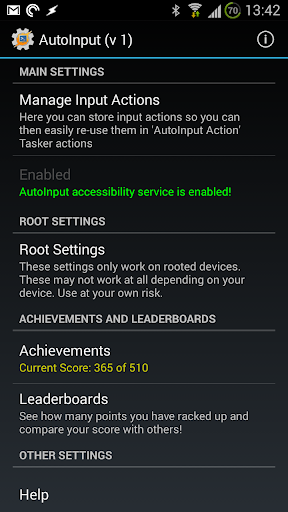
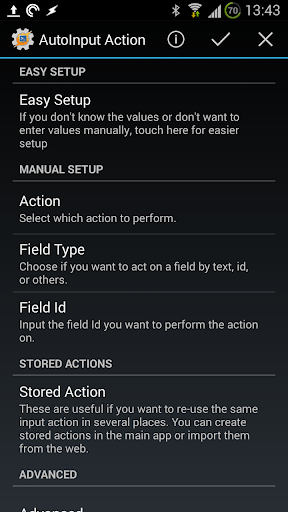
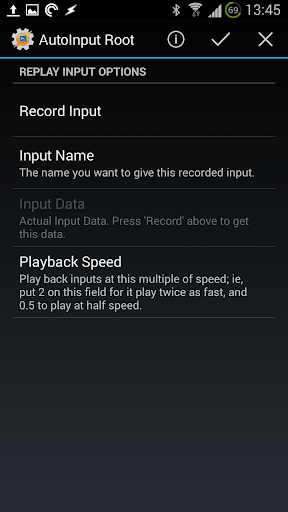
Automate any app's UI with AutoInput. Also react to UI events and physical keys
As featured on:
☑ Lifehacker: https://goo.gl/EJK7dC
☑ Android Police: https://goo.gl/ogRv2M
☑ Android Central: https://goo.gl/6zj9SC
Get started with AutoInput: http://joaoapps.com/autoinput/
☑ Face Unlock On Any Android 7+ Device
You can automatically dismiss your lock screen using just your face! Tasker NOT required! Full tutorial here: https://goo.gl/CipdM7
Tasker Features:
☑ No-Root UI Automation for Android 4.3+
With AutoInput's accessibility service you can simulate touches and other UI interaction, like writing text, in any app without rooting your device! Check out the demo video here: https://www.youtube.com/watch?v=U6ajlDn3cwY
For example:
→ changing any app's settings at will from Tasker!
→ replying to hangouts without needing to touch your phone!
→ toggling GPS on your phone without needing to be rooted!
☑ Get any On-Screen text into Tasker
Also using the accessibility service you can use any on-screen info in your Tasks! For example, recognize a song on Google Now and get its name in a Task as shown in this tutorial: https://goo.gl/cWtiqq
☑ React to On-Screen Events
You can setup profiles in Tasker to react to whatever's happening on your screen, like clicking on a button or an app changing its content
☑ Automate Any App
From now on, when you ask yourself "can I automate this app with Tasker?", the answer is "you probably can with AutoInput"! :)
☑ Free To Use
If you don't want to pay for the app you have the option to use it for free with rewarded ads!
******IMPORTANT NOTE*****
AutoInput is a Tasker plugin. You need to have Tasker (https://play.google.com/store/apps/details?id=net.dinglisch.android.taskerm) installed to use most of its features, so please be aware of that before using it.
You can get a free trial of Tasker here: https://tasker.joaoapps.com/download.html
**********************************
AutoInput has known limitations on Android 6 or below: you can't simulate clicks inside web views, which means you can't click links on web pages in most browsers and other Web based apps.
On Android 7 or above you can click everywhere!
This app uses Accessibility services.