Root Checker


Root Checker Summary
Root Checker is a free, ad-supported, with in-app purchases Android app in Tools by joeykrim. Released in Jan 2011 (15 years ago). It has about 86M+ installs and 359K ratings with a 4.01★ (good) average. Based on AppGoblin estimates, it reaches roughly 6.4M monthly active users and generates around $500K+ monthly revenue (28% IAP / 72% ads). Store last updated May 2, 2026
Recent activity: 33K installs this week (171K over 4 weeks) showing above average growth , and -74 new ratings this week View trends →
SDK intelligence: AppGoblin detected 3 development tools(e.g. Square), 3 ad networks, 2 analytics: product, 1 business tools,and 1 mediation integrated into Root Checker. View full SDK list →
Root Checker SDKs Summary
Root Checker was last scanned for SDKs on 2025-04-04. Below is the overview of third-party companies detected in the app. The full list of SDKs, permissions and unknowns is available here.
AppGoblin saw Root Checker uses 2 Analytics: Product
 Firebase
 Google Analytics
AppGoblin saw Root Checker uses 3 Development Tools
 Square
 Amazon
 Google
AppGoblin saw Root Checker uses 1 Business Tools
 Twitter X
AppGoblin saw Root Checker uses 3 Ad Networks
 Facebook
 Mopub
MopubAppGoblin saw Root Checker uses 1 Mediation
 AdMob
AdMob4.01★
Ratings: 359K
Screenshots



App Description
Verify that root (superuser or su) access is properly installed!
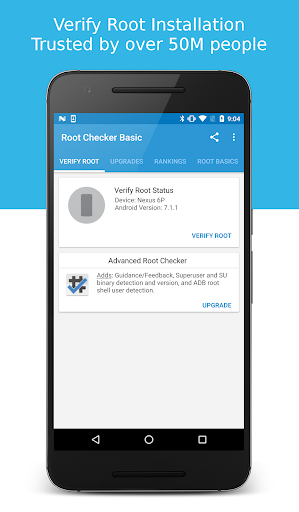
Verify proper root (superuser or su) access is configured and working using Root Checker! Free, fast, easy, and used on over 50 million Android devices, Root Checker shows the user whether or not root (superuser) access is properly installed and working.
This application provides even the newest Android user with a simple method to check their device for root (administrator, superuser, or su) access. The application provides a very simple user interface that easily notifies the user whether or not they have properly setup root (superuser) access.
*Feel free to email me with any questions. I always reply!*
This application will test the device for root (superuser) access using a very simple, quick, and reliable method that has been successful for over 50 million Android devices. The su binary is the most common binary used on Android devices to grant and manage root (superuser) access. Root Checker will check and verify that the su binary is located in a common standard location on the device. In addition, Root Checker will verify whether the su binary is properly functioning in granting root (superuser) access.
Many times users experience issues along the path of installing, configuring, and gaining root access or uninstalling and removing root access. For some users the process can seem complex while for others the process can seem simple. Regardless of the user's technical skill set, Root Checker, will quickly and correctly verify whether or not root access is 100% functioning. The process of confirming root access is sometimes known by other terms such as, gaining superuser access or gaining administrator access. Root Checker covers all these terms as they relate to one core function, being able to execute commands through the su binary with root access.
If the Superuser management applications (SuperSU, Superuser, etc.) are installed and working properly, these applications will prompt the user to accept or deny the root access request from Root Checker. Accepting the request will allow Root Checker to check for and confirm root access. Denying the request will result in Root Checker reporting no root access.
For scenarios when there is concern somebody else might have installed root access on the device, Root Checker can validate whether root access is installed providing more insight and knowledge.
Please don't leave negative feed