iTextViewer - 텍스트 뷰어, txt 리더


iTextViewer - 텍스트 뷰어, txt 리더 Summary
iTextViewer - 텍스트 뷰어, txt 리더 is a ad-supported Android app in Books And Reference by Kim JuYoung. Released in Dec 2022 (3 years ago). It has about 7.9K+ installs and 11 ratings . Based on AppGoblin estimates, it reaches roughly 846 monthly active users and generates around $<10K monthly revenue (0% IAP / 100% ads). Store metadata: updated Jul 12, 2024, version 52.
Recent activity: 101 installs this week (348 over 4 weeks) showing steady growth View trends →
Data tracking: SDKs and third-party integrations were last analyzed on Feb 16, 2026. The app's network data flows (API traffic to/from the app and its SDKs) were last crawled on Jan 23, 2026.
Store info: Last updated on Google Play on Jul 12, 2024 (version 52).
iTextViewer - 텍스트 뷰어, txt 리더 was last scanned for SDKs 2026-02-16. Below is the overview of third party companies detected in the app. The full list of raw SDKs, app permissions and unknown SDKs is available here.
 Google
 Bumptech
 Kotlin
 AdMob
AdMob Firebase
0★
Ratings: 11
Screenshots

App Description
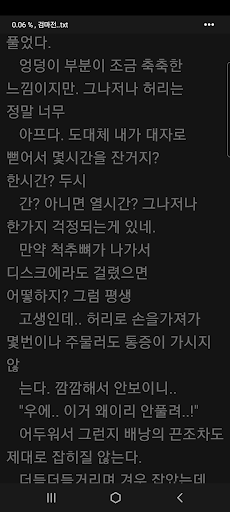
A simple text reader app for reading novels in txt files
It is a simple text viewer to view txt files.
You can browse and select a text file in the internal space of your device to view it.
The iTextViewer app does not provide or share novel files.
It is an app that puts and sees files owned by the user.
characteristic
- txt extension file support
- App language: Korean
- Default Korean font
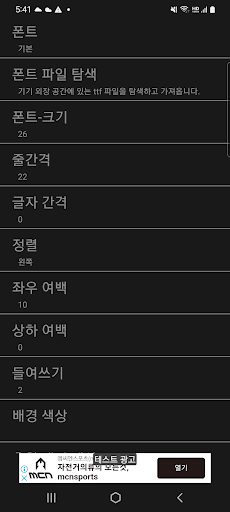
- Search and add a separate font file (ttf) downloaded to the internal space
- Font size, line spacing, tracking, indentation, alignment
- Left and right margins, top and bottom white
- Select text color, background color, and recommended color
- vertical scroll
- Paging with left and right taps
- Top tab: switch to the previous page
- Display the previous page line (contents): Operation when switching to the next page in the paging method
- Word skipping: Use or not use
- Device brightness (go to the device settings screen), content brightness
- Auto screen off
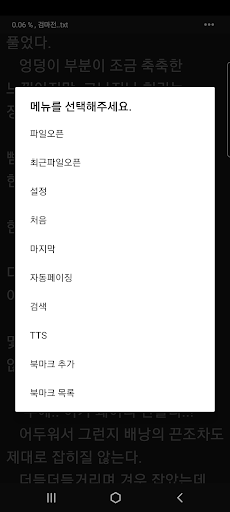
- Auto scrolling, auto paging
- Turn pages with volume keys: two-way, two-way-reverse, one-way-next, one-way-previous
- TTS
- Handling blank lines: removing blank lines, adding blank lines, skipping lines at the end of sentences, removing duplicates, unused (original)
- App lock (when using the lock on the device)
- Show or hide system bar
- Page initialization: Files read over a certain progress will be the first page when opened next time
- Bookmarks
- Display progress, file name, battery status, and current time at the top of the screen
- Browse and import files inside the device
- Supports Bluetooth external input (keyboard, gamepad, etc.): switch to next page, previous page
- Underline: Shows a fixed line under the text like a note. (solid line, dotted line, dashed line, transparency and space between letters can be adjusted)