Ping Tools: Network & Wifi

Ping Tools: Network & Wifi Summary
Ping Tools: Network & Wifi is a ad-supported, with in-app purchases Android app in Tools by JVR Developers. Released in May 2020 (5 years ago). It has about 67.9K+ installs and 231 ratings with a 3.55★ (average) average. Based on AppGoblin estimates, it reaches roughly 790 monthly active users and generates around $<10K monthly revenue (58% IAP / 42% ads). Store metadata: updated Jan 21, 2026.
Recent activity: 125 installs this week (656 over 4 weeks) showing steady growth , and 1.00 new ratings this week View trends →
Store info: Last updated on Google Play on Jan 21, 2026 .
3.55★
Ratings: 231
Screenshots


App Description
Network Diagnose & Configuration made easy with Ping tools.
Ping Tools: Network & WiFi is a simple and capable for Network Configuration and Network Diagnosis.
From all ping tools you can find which devices are connected to Wi-Fi network or mobile data, hotspot devices which detect fraud, network security risks, troubleshoot issues and get best network result.
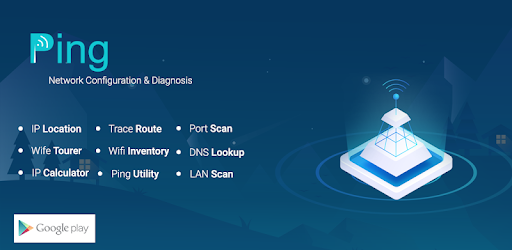
App Features:
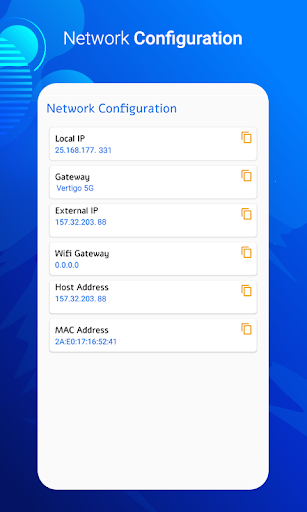
Network Configuration :
- Network configuration is the process of setting a network's controls, flow and operation to support the network communication of an organization.
- Display details like IP address,gateway,Mac address and more.
IP Location :
- IP location is mapping of an IP address or MAC address to the real-world geographic location of an Internet-connected computing or a mobile device.
- Geo-location involves in mapping IP address to the country, region (city), latitude/longitude, ISP and domain name among other useful things.
Port Scan :
- To probe a server or host for open ports.
DNS Lookup :
- DNS Lookup tool finds all DNS records of a given domain name. The records include but not limited to A, AAAA, CNAME, MX, NS, PTR, SRV, SOA, TXT, CAA.
Ping Utility :
- The Ping utility is a tool that help you to verify if a domain/server is operating and network accessible.
- This Ping tool uses the Internet Control Message Protocol (ICMP) Echo function.
- A small packet will be sent through the network to a given IP address (IPv4) or host name.
Trace Route :
- Is a network tool used to determine the path packets take from one IP address to another.
- It provides the host name, IP address, and the response time to a ping.
- Enter the IP address that you want to lookup.
Finds contact information for the owner of a specified IP address.
IP Calculator : Takes an IP address and netmask and calculates the resulting broadcast, network, Cisco wildcard mask, and host range. By giving a second net-mask, you can design subnets and super-nets.
LAN Scan : Get current WiFi connected device information with same network also you can edit name.
WiFi Tourer : There are two options
1. WiFi Counsel : get current WiFi INFORMATION LIKE dbm, SSId, BSSID, Speed and many more.
2. WiFi Inventory : Get all nearest WiFi connection list which shows protected or open.
For ping tools test you have to enable internet of your phone for best performance netwo