Kanban Tool


Kanban Tool Summary
Kanban Tool is a mobile Android app in Productivity by KanbanTool. Released in Apr 2016 (10 years ago). It has about 55.2K+ installs and 152 ratings with a 3.60★ (average) average. Based on AppGoblin estimates, it reaches roughly 2.6K monthly active users . Store metadata: updated Nov 14, 2024.
Recent activity: 46 installs this week (201 over 4 weeks) showing below average growth View trends →
Store info: Last updated on Google Play on Nov 14, 2024 .
3.6★
Ratings: 152
Screenshots



App Description
Increase team performance with a visual management software for business.
Kanban Tool is a visual process and project management solution that helps teams to work more efficiently, visualize workflow, analyze and improve business processes in line with Kanban method. Kanban Tool is a great way to get an overview of everything that needs to get done.
The app allows you to monitor the progress and make edits on the go, no matter where you are.
Online Kanban boards help you increase your team productivity by workflow visualization, task assignments and real-time team collaboration.
With columns and swimlanes you can organize work in the most effective way. Wherever you are, you can keep track your work and keep your team mates updated. Changes your team is making are immediately visible to you, and your team mates to ensure you all stay on top of the progress.
Key Kanban Tool Features:
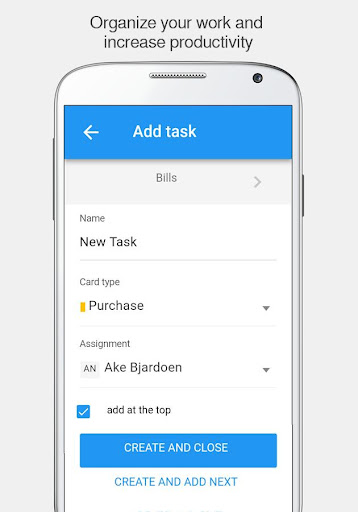
- Quickly create, edit, move and assign tasks to your team members on the go
- Collaborate with team members anytime, anywhere, with real-time sync on all of your favorite devices
- Tap once to open a task
- Swipe to move a task to the next column
- Slide to go to the next column
- Add comments, attachments and notifications
- Set color-coded priority levels, change card types and make checklist
- Easily enable time tracking by moving a task to the Working type column
- Enjoy clean and modern design.
Download the free application to use as part of your online Kanban Tool account.
To start a free or paid Kanban Tool account please visit https://kanbantool.com/pricing.