Busy Baby - Tap and Play Music

Busy Baby - Tap and Play Music Summary
Busy Baby - Tap and Play Music is a ad-supported, with in-app purchases Android app in Family by Kevin Ersoy. Released in Jun 2018 (7 years ago). It has about 2K+ installs and 10 ratings with a 4.87★ (excellent) average. Based on AppGoblin estimates, it reaches roughly 116 monthly active users and generates around $<10K monthly revenue (66% IAP / 34% ads). Store metadata: updated Oct 22, 2024.
Recent activity: 11 installs this week (151 over 4 weeks) showing exceptional growth View trends →
Store info: Last updated on Google Play on Oct 22, 2024 .
4.87★
Ratings: 10
Screenshots

App Description
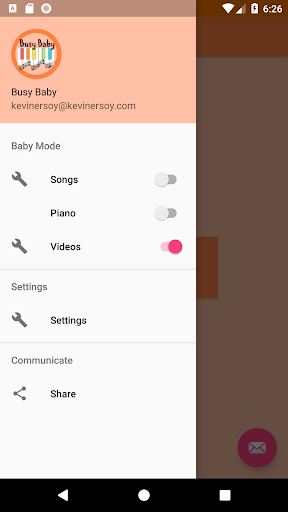
Locks into Baby Mode for Songs, Piano, or Videos
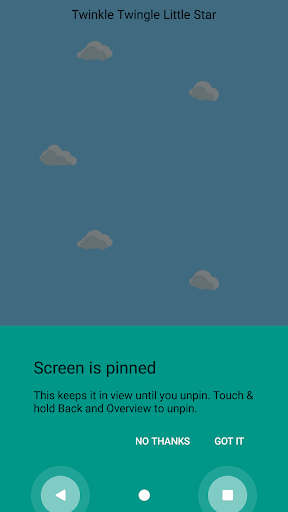
Simply enable baby mode by tapping the button. Your phone will lock the task once in baby mode to disable the back/home/overview buttons.
You can now pass your phone to your baby or toddler to play with.
Songs Baby Mode:
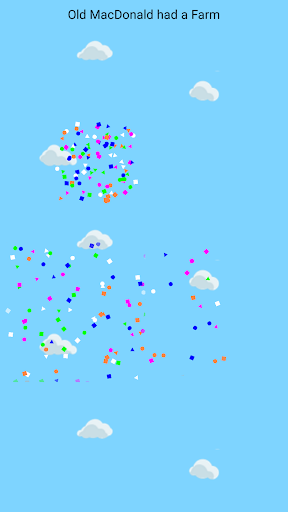
Each touch of the screen will play the next note in the song. There are eight songs to start, and more coming. It's like playing a piano, where it doesn't matter which key you press.
You can also use the piano to create your own songs for Songs Baby Mode.
Each touch also produces visually stunning effects to entertain baby.
Video Baby Mode:
You can search for videos and create a list within the app to be played in random order within Video Baby Mode. Parents can select the videos that are appropriate for the age of your children. You can enable and disable videos (or delete from the list) at any time.
For Video Baby Mode, the Locking feature is a premium feature and will cost money. You may watch the videos in unlocked mode for free. There is no pay wall to access the content, per the video provider's terms. The Locking feature is what you pay for.
Piano Baby Mode: (available in the Beta track)
In this mode, the screen is locked into a piano view where your child may tap away and play music. You can rest assured they will not be making phone calls or texting grandpa on accident.
Ads:
A small banner will show on the main screen if you're a free user. They will NEVER be shown in baby mode. If you use video mode, the content comes from an outside video provider, so I cannot control any ads appearing via that service, but I will never personally insert any ads into any baby mode.
New Features:
-Song mode now supports multi touch, so let those babies grab and squeeze all they want.
-Piano can be used to generate new songs for baby mode.
-Create custom songs and edit anytime.
-Search for videos and build a list to be displayed in Video Baby Mode.
New features are under development, this is an early release. Please email me if you have any questions or requests for features. I appreciate all feedback.
**Unlock the task by holding back and overview for a couple seconds. If your child happens to unlock the device by accidentally holding these, it will bring them to the lock screen. Make sure your lock screen is baby safe or else they might be taking pictures or calling your emergency contacts.
*Terms subject to change at any time. Uninstalling or clearing data after the free period will result in a loss of this free feature. The early adopter period has ended.
Busy Baby has no relation to the content providers of the sample videos shown in the screenshots. They are simply to display the use case.
Busy Baby has no relation to the video service, parent company, or affiliates. Busy Baby is using the video service's API to allow users to search for and display content readily available from the service. We do not lay any claims to the words/mark/name of the company, nor any content provided.