Safe Browser – Web Filter

Safe Browser – Web Filter Summary
Safe Browser – Web Filter is a ad-supported, with in-app purchases Android app in Tools by Kiddoware - Parental Control App Provider. Released in Nov 2013 (12 years ago). It has about 1.6M+ installs and 2.6K ratings with a 3.45★ (mixed) average. Based on AppGoblin estimates, it reaches roughly 168.9K monthly active users and generates around $10K+ monthly revenue (27% IAP / 73% ads). Store metadata: updated Jun 3, 2026, version 159.
Recent activity: 200 installs this week (698 over 4 weeks) showing steady growth , and -2 new ratings this week View trends →
Data tracking: SDKs and third-party integrations were last analyzed on May 21, 2026. The app's network data flows (API traffic to/from the app and its SDKs) were last crawled on May 10, 2026.
Store info: Last updated on Google Play on Jun 3, 2026 (version 159).
SDKs, Trackers & Permissions
Safe Browser – Web Filter was last scanned for SDKs 2026-05-21. Below is the overview of third party companies detected in the app. The full list of raw SDKs, app permissions and unknown SDKs is available here.
 Google Analytics
 Firebase
 Facebook
 Bumptech
 ReactiveX
 Kotlin
 Google
App Details
App Store
Ads & App-Ads.txt
AppGoblin SDK Scans
3.45★
Ratings: 2.6K
Screenshots

App Description
Safe browser with URL filtering to help block unwanted sites
Safe Browser: Web Filter & Porn Blocker 🌐
Safe Browser app provides a controlled browsing environment where you can filter websites with URL filtering and create custom rules for your needs.
Key Features🔑
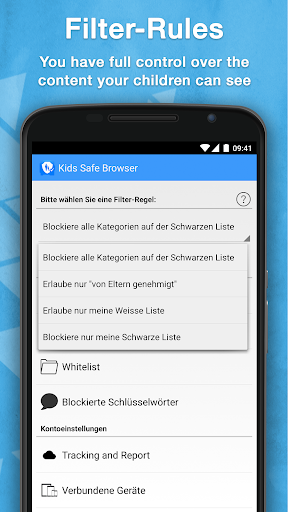
Custom Filtering: Filtering is based on website addresses (URLs/domains), not the contents of a page. Parents can block categories such as adult content or other unwanted sites.
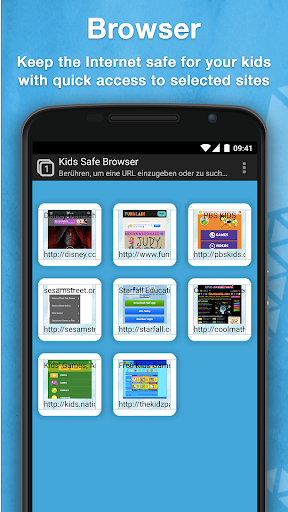
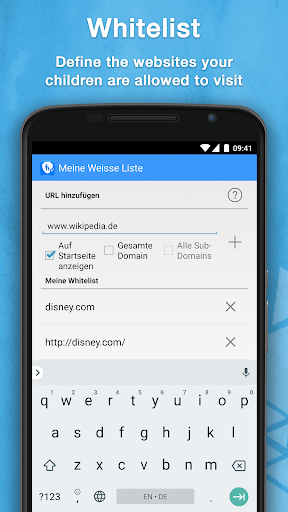
Whitelisting and Blacklisting: Add specific websites to an approved (whitelist) or blocked (blacklist) list. Whitelisted sites can be placed on the home screen for quick access.
Safe Browsing Environment: Create a kid-friendly internet space with only the sites and categories you approve.
Optional Screen Time Controls: Parents can set time limits for browsing to encourage balanced device use.
Easy Setup and Use: Simple for parents to configure and straightforward for users to navigate.
Permissions & App Information 📲
Free Trial: A 7-day free trial gives you access to all features. After the trial, you can continue with limited free features or subscribe for full access.
Device Administrator Permission: Optional. This permission is requested to make it difficult for children to uninstall the app without a parent's permission
About the App
Safe Browser is designed to support parents—not replace them. Filtering is performed on the URL or domain level, not by analyzing page content, which helps maintain privacy. The app provides parental control tools to guide safer online use, but no technology can block 100% of unwanted content. Parents should continue to supervise and discuss safe browsing habits with their children.
For full details, see our Privacy Policy http://kiddoware.com/safe-browser-privacy-policy/